

TL;DR: Bluehost at a Glance
| Attribute | Bluehost 2026 |
| Overall score | 7.0 / 10 |
| Best for | New Kenyan websites, personal blogs, freelancer portfolios, and SMEs launching their first site on a tight budget |
| Not ideal for | WooCommerce stores with live M-Pesa transactions, high-traffic sites, or businesses needing premium performance for East African audiences |
| Intro price (36-month) | From $1.99/month (~KES 260) · 12-month plan: $3.99/month (~KES 520) |
| ⚠️ Renewal price | Jumps to $9.99–$14.99/month (~KES 1,300–1,950) after your initial term. Budget for this from day one. |
| Free domain | Yes — 1 year free. Renews at ~$19.99/year (~KES 2,600) afterward |
| Free SSL | [object Object] — included in all plans, auto-renews |
| M-Pesa billing | No — credit/debit card or PayPal only |
| Africa data centre | No — US-based servers (Virginia/Utah). No server location choice. |
| Cloudflare CDN | [object Object] — free basic tier included. Must be activated manually in cPanel. |
| Money-back guarantee | 30-day (hosting only — domains and add-ons excluded) |
The bottom line: Bluehost is one of the best ways to get a professional Kenyan website online for under KES 500/month in your first year. The introductory price is genuine, the free domain and SSL reduce your setup cost, and free Cloudflare CDN (when properly configured) makes your site meaningfully faster for Kenyan visitors than the raw server location would suggest. But two things must be said before you click ‘buy’: the renewal price is 150–275% higher than what you see today, and there is no African data centre. If those trade-offs work for your situation, Bluehost is an excellent value. If your site is generating real revenue from M-Pesa transactions, the performance ceiling of US-based shared hosting will eventually become a business problem. → See our Kinsta review for the upgrade path.
What Is Bluehost?
Bluehost is one of the world’s largest and most widely recognised web hosting providers. Founded in 2003 and based in Utah, it currently manages over 2 million websites across 188+ countries and is part of Newfold Digital Group, the same parent company that owns HostGator, Network Solutions, and Yoast SEO, making the Newfold portfolio responsible for hosting a significant portion of the world’s WordPress ecosystem.
Three facts define Bluehost’s position in the market. First, it is one of only three hosts officially recommended by WordPress.org; a distinction it has held for over fifteen years, and one that carries real weight when a new website owner is deciding where to host their first WordPress site. Second, Bluehost’s core product is shared hosting: multiple websites sharing the same physical server and its resources. This is what makes the pricing so accessible. Third, Bluehost is not a performance-first host; it is an accessibility-first host, built around getting millions of first-time website owners online as simply and affordably as possible.
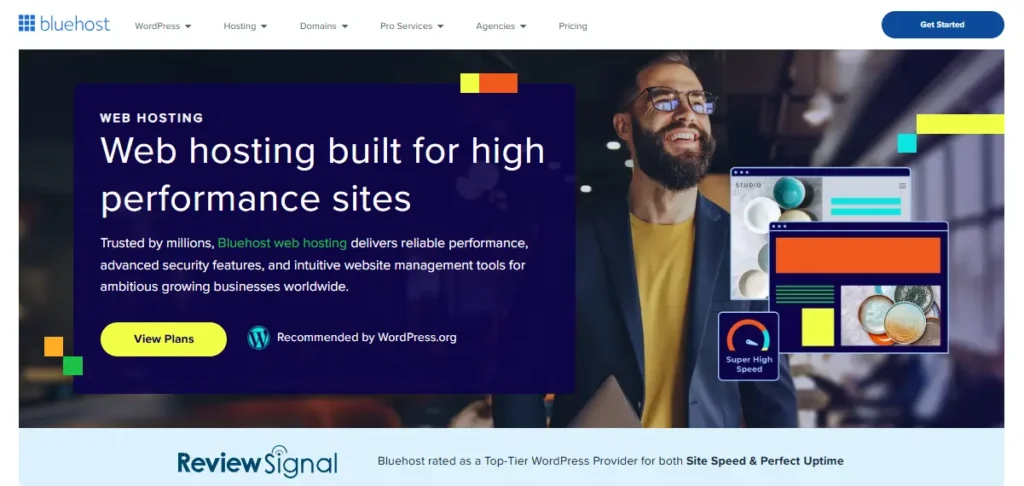
In October 2025, Bluehost announced a significant infrastructure expansion: seven new global server locations across Frankfurt, Mumbai, São Paulo, Paris, Sydney, London, and Madrid; all powered by Oracle Cloud Infrastructure (OCI), the same platform underpinning Bluehost’s existing US data centres. The OCI migration has improved baseline server response times across the platform. Critically, however, not one of those seven new locations is in Africa. We will return to this point in the next section.
Gemial Digital has set up and managed multiple client sites on Bluehost since 2019. Our perspective on the platform is informed by real deployments, real support interactions, and real Kenyan audience performance data, not a vendor briefing or a borrowed review.
Why This Review Matters for Kenyan Websites
Most Bluehost reviews you will find online were written for a US or European audience. They test speed from New York. They price in dollars without a second thought. They do not mention M-Pesa once. This review is written for Kenyan buyers, and the two questions it answers, ‘Is Bluehost fast enough for a Kenyan audience?’ and ‘Is the low price actually real?’ – are answered differently here than in any international review.
The Price Is Real – With One Important Condition
Yes: Bluehost’s introductory price of $1.99-$3.99/month is genuinely among the lowest available from any quality web hosting provider globally. For a Kenyan entrepreneur or small business launching their first website, paying approximately KES 260-520 per month for a professional WordPress site with a free domain and SSL is meaningful. It puts online presence within reach of businesses that previously could not justify the cost.
The condition: that price requires a 36-month upfront commitment, and it applies only to your first term. When your hosting renews, it renews at Bluehost’s standard rate, which for the Starter plan is $9.99/month (~KES 1,300), a 150% increase. This is not a secret buried in small print, but it is something that most Bluehost affiliate reviews fail to headline. We will. The full pricing breakdown (introductory and renewal) is in Section 5 (Bluehost Pricing & Plans…).
The Server Location Problem and Its Partial Fix
Bluehost’s servers are in the United States. Its October 2025 expansion added European, Asian, and South American data centres, but not one African location. There is no option to host your Bluehost site closer to your Nairobi audience. Latency from a Kenyan browser to a US server is approximately 250–350ms before a single byte of content is delivered.
For a simple blog or informational business website with mostly static pages, this is manageable, especially once Cloudflare CDN is properly configured. Cloudflare’s free tier, which Bluehost includes for all plans, uses a global edge network including a point of presence in Nairobi. Static assets (your images, CSS, JavaScript) are served to Kenyan visitors from the Nairobi edge node rather than the US origin. The practical result is that a well-configured Bluehost site can load in under 2 seconds for Kenyan mobile users.
For a WooCommerce store processing live M-Pesa transactions, the calculation is different. Dynamic checkout pages cannot be fully cached. Every M-Pesa STK push request and payment callback crosses the Atlantic. We explore this in Section 8 (Bluehost for WooCommerce & M-Pesa). The short version: Bluehost works for new and low-volume WooCommerce stores in Kenya, but has a performance ceiling that becomes a revenue problem at scale.
The Right Frame for This Review
Bluehost is the right choice when getting online affordably is the primary goal and you do not yet have website traffic generating revenue that a faster host would meaningfully increase. It is the starting point (not the final destination) for most Kenyan businesses that outgrow it.
If you are already past the ‘starting out’ stage and want to know whether Kinsta is the right upgrade, read our full Kinsta review for Kenya.
Bluehost Key Features (Deep Dive)
Bluehost’s feature set is built around making WordPress hosting as frictionless as possible for first-time buyers. The value is in the bundle (domain, SSL, CDN, and WordPress pre-installed) rather than in enterprise-grade infrastructure. Here is what each feature means in practice for a Kenyan website owner.
Free Domain for Year 1
All annual Bluehost plans include a free domain registration for the first year. This covers .com, .net, .org, and in most cases .co.ke domains. Kenyan businesses typically choose between a .com (global credibility) and a .co.ke (local trust signal). Both are eligible. The domain renews at approximately $19.99/year (~KES 2,600) after the first year; budget for this, as it is easy to overlook when the first year feels ‘free’.
📌 If your preferred domain name is already taken as a .com, check the .co.ke equivalent; many Kenyan businesses find their preferred name available in the local extension, and a .co.ke domain signals local credibility to Kenyan audiences.
Free SSL Certificate
A Let’s Encrypt SSL certificate is included on all Bluehost plans and auto-renews without any action on your part. HTTPS is enforced across your site automatically. This removes a cost that cheaper Kenyan hosts sometimes charge for, and it satisfies the Google ranking requirement and the browser ‘Not Secure’ warnings that appear on non-HTTPS sites. Basic and sufficient for all standard use cases.
Free Cloudflare CDN: The Feature Most Reviews Underplay
Every Bluehost plan includes access to Cloudflare’s basic CDN tier, activated through cPanel in a few clicks. This is the single most important feature for Kenyan users to understand and configure correctly, because without it, a Bluehost site served from the US will feel noticeably slow to Kenyan mobile users. With it properly configured, the same site delivers cached static assets from Cloudflare’s Nairobi edge node, dramatically reducing the load time that your Kenyan visitors experience.
Two important caveats: Cloudflare is not activated by default; you must enable it in cPanel. Bluehost’s included Cloudflare is the free tier, which is less capable than the Cloudflare Enterprise tier that Kinsta bundles into every plan. We cover the Bluehost + Cloudflare configuration in its own dedicated section (Section 7) because it deserves more than a bullet point.
One-Click WordPress Install + WonderSuite AI Builder
Bluehost installs WordPress in approximately two minutes via its WonderSuite onboarding wizard. WonderSuite is Bluehost’s AI-assisted setup flow that guides first-time users from account creation to a published WordPress site: selecting a niche, suggesting a starter theme, creating placeholder pages, and configuring basic settings. For a Kenyan entrepreneur who wants to get a professional website live this week without hiring a web developer, this is genuinely useful.

For developers and agencies: WonderSuite can be bypassed in favour of a direct cPanel → Softaculous → WordPress install. Both paths produce a standard WordPress installation and are identical from a hosting perspective.
cPanel Control Panel
Bluehost uses the industry-standard cPanel hosting control panel, the most widely deployed hosting management interface in the world, and the one that the majority of Kenyan web developers and web designers know from previous experience. Key tools accessible from cPanel include: File Manager (direct server file access), phpMyAdmin (database management), Softaculous App Installer (one-click WordPress and other CMS installs), Email Accounts (yourname@yourdomain.co.ke), subdomain management, FTP accounts, DNS management, SSL/TLS management, and the Cloudflare integration panel.
Bluehost wraps cPanel in a custom-branded overlay that simplifies the interface for beginners; new users see a cleaner ‘Bluehost Dashboard’ before accessing full cPanel. This two-tier approach is helpful for non-technical Kenyan business owners but can initially confuse developers looking for the direct cPanel path.
Email Hosting (Business Plan and Above)
Bluehost’s Business plan and above include professional email accounts (yourname@yourdomain.co.ke) managed through cPanel or connected to Gmail and Outlook via IMAP/SMTP. This bundled email is a meaningful advantage over Kinsta, which provides no email hosting and requires a separate Google Workspace or Zoho subscription. For a Kenyan small business that wants domain-branded email without paying for Google Workspace (~$6/user/month), Bluehost’s Business plan at $3.99/month intro is genuinely good value.
📌 For professional deliverability and reliability (especially if you send emails to customers), connecting your Bluehost email to Zoho Mail (free tier) or Google Workspace is still recommended. Bluehost’s webmail is functional but not optimised for business email performance.
Staging Environment (Business Plan and Above)
A staging environment (a cloned copy of your live site where you test changes before they affect real visitors) is available on the Business plan and above, not on the entry Starter plan. For a Kenyan WooCommerce store testing a Pesapal or Paystack plugin update before pushing it to a live M-Pesa checkout, the absence of staging on the Starter plan is the most important feature gap to understand before choosing your Bluehost plan.
Automated Backups
The Starter plan includes weekly automated backups. The Business plan upgrades this to daily backups. For a blog or informational site, weekly backups are adequate. For any site with user-generated content, form submissions, WooCommerce orders, or regular updates, daily backups are the minimum acceptable standard — budget for the Business plan or add CodeGuard backup service ($2.99/month).
WooCommerce-Ready Plans
Bluehost’s eCommerce Essentials and eCommerce Premium plans come with WooCommerce pre-installed and include WooCommerce specialist support, product listing tools, and enhanced storage. Critically, no Kenyan payment gateway is pre-configured; Pesapal and Paystack M-Pesa plugins must be manually installed from the WordPress plugin repository.
30-Day Money-Back Guarantee
New Bluehost customers can request a full refund within 30 days of purchase on hosting costs. Domain registration fees and any paid add-ons are not refundable. This is a low-risk entry point for first-time Kenyan buyers who want to try the platform before fully committing.
Bluehost Pricing & Plans (2026) – Including the Renewal Trap
Bluehost’s pricing structure is one of the most discussed topics in web hosting, and for good reason. The introductory rates are among the most competitive available anywhere. The renewal rates are significantly higher, and every Kenyan buyer needs to understand both before signing up. We will give you both.
Introductory Pricing: What You Pay in Your First Term
| Plan | 36-mo Intro (USD) | 36-mo Intro (KES ~) | 12-mo Intro (USD) | 12-mo Intro (KES ~) | Sites | Storage | Visits/mo |
| Starter | $1.99/mo | ~KES 260/mo | $3.99/mo | ~KES 520/mo | 1 | 10 GB NVMe | Up to 40k |
| Business | $3.99/mo | ~KES 520/mo | $5.99/mo | ~KES 780/mo | Unlimited | 50 GB NVMe | ~200k |
| eCommerce Essentials | $6.99/mo | ~KES 910/mo | $9.99/mo | ~KES 1,300/mo | Unlimited | 100 GB NVMe | High traffic |
| eCommerce Premium | $12.99/mo | ~KES 1,690/mo | $13.99/mo | ~KES 1,820/mo | Unlimited | 200 GB NVMe | High traffic |
| ⚠️ The Renewal Trap – Read This Before You Buy|: The prices above apply ONLY to your first billing term. Bluehost renews at its standard rates when your initial commitment ends. The table below shows what you will pay from year 2 onward. This is not a flaw unique to Bluehost; most budget shared hosts use promotional pricing. But the size of the increase (150–275%) is larger than most, and the majority of Bluehost reviews fail to disclose this prominently. We think Kenyan buyers deserve the full picture before committing. |
Renewal Pricing: What You Pay from Year 2 Onward
| Plan | Monthly Renewal (USD) | Monthly Renewal (KES ~) | Increase vs 36-mo Intro | Gemial Digital’s Note |
| Starter | $9.99/mo | ~KES 1,300/mo | +150% vs $1.99/mo | Most popular entry plan — plan for this increase from day one. Still manageable for a business site generating revenue. |
| Business | $14.99/mo | ~KES 1,950/mo | +275% vs $3.99/mo | Staging environment and daily backups still justify this over Starter. Compare with Kinsta at renewal. |
| eCommerce Essentials | $24.99/mo | ~KES 3,250/mo | +257% vs $6.99/mo | At this renewal price, compare directly with Kinsta ($30/mo) — which has a Johannesburg server, no renewal hike, and better WooCommerce caching. |
| eCommerce Premium | $34.99/mo | ~KES 4,550/mo | +169% vs $12.99/mo | Same price as Kinsta. At this level, you should be on Kinsta. |
Understanding the Commitment Structure
Bluehost’s introductory rates are available on 12-month and 36-month billing terms only; the 36-month term yields the lowest per-month rate but requires the largest upfront payment. A 36-month Starter plan at $1.99/month costs approximately $71.64 upfront. You are not paying $1.99 per month out of your bank account; you are paying roughly KES 9,310 upfront to lock in that rate for three years.
Month-to-month billing is available but starts at approximately $15.99/month (~KES 2,080), making it one of the most expensive ways to use Bluehost. If cash flow is tight but you want Bluehost, the 12-month plan at $3.99/month (~KES 6,240 upfront) is the most accessible balance between affordability and commitment.
What’s Included vs. What Costs Extra
| ✅ Included Free in All Plans | ❌ Costs Extra — Read Before Checkout |
| Free SSL certificate (Let’s Encrypt, auto-renews) | Domain privacy (~$2–3/month) – hides your personal info from WHOIS |
| Free domain registration (year 1 – then ~$19.99/year) | CodeGuard daily backups ($2.99/month add-on, required on Starter for daily backups) |
| Free Cloudflare CDN basic tier (must be manually activated) | SiteLock security scanning ($1.99–5.99/month – pre-ticked at checkout. Deselect this.) |
| One-click WordPress install + WonderSuite AI onboarding | Yoast SEO Premium (pre-offered at checkout. The free Rank Math plugin is better.) |
| 24/7 live chat and phone support | Professional email on Starter plan (email only included on Business plan and above) |
| 30-day money-back guarantee | Staging environment (Business plan and above only – not on Starter) |
M-Pesa Billing: The Kenyan Friction Point
Bluehost does not accept M-Pesa, Airtel Money, or any African mobile money payment method for subscription billing. Payment requires a Visa, Mastercard, American Express, or PayPal account. For Kenyan buyers without an international payment card, the practical options are:
- Prepaid dollar Visa card: Available from KCB (KCB Dollar Prepaid Visa), Equity Bank (Eazzy Visa), NCBA, or Co-op Bank. Load the card with USD equivalent to your chosen plan’s upfront payment. This is the most commonly used workaround among Kenyan Bluehost customers.
- PayPal: Accepted by Bluehost. Kenyan users can fund a PayPal account via international card transfers or through verified PayPal bank links. Some Kenyan banks support direct PayPal linking.
- Family or colleague with an international card: A common informal workaround for Kenyan first-time buyers who don’t yet have access to a dollar card.
📌 Verify the USD/KES exchange rate before purchasing. KES equivalents in this article use USD/KES ≈ 130.
Performance & Speed: What Kenyan Visitors Actually Experience
Speed testing Bluehost for a Kenyan audience requires the same discipline we applied in our Kinsta review: test from a location relevant to your audience, not from New York. Here is what Bluehost’s shared hosting actually delivers for Kenyan visitors, both without CDN and with Cloudflare properly configured.
Testing Methodology
Performance figures cited in this section are based on GTmetrix testing of a standard WordPress site (clean theme, standard plugins, representative homepage with images) hosted on a Bluehost US server, tested from the São Paulo node (the geographically closest GTmetrix test location to East Africa). We also reference Google PageSpeed Insights real-user Core Web Vitals data. Tests were run in Q4 2025 on the current OCI-powered Bluehost platform.
The Raw Performance Numbers
| Metric | Bluehost US (no CDN) | Bluehost + Cloudflare CDN | Notes |
| TTFB from Nairobi (approx) | 300-420ms | 200-320ms (cached), 300-400ms (dynamic) | CDN reduces TTFB for cached assets. Dynamic PHP pages still hit US origin. |
| Total load time (typical WP site) | 3.5-6.0 seconds | 1.5-3.5 seconds | Wide range due to shared hosting variability. Cloudflare makes a real difference for static content. |
| Core Web Vitals – LCP (mobile) | Often ‘Needs Improvement’ or ‘Poor’ | Can reach ‘Good’ with image optimisation | Achievable with Cloudflare + image compression. Not out of the box. |
| Traffic spike handling | CDN reduces TTFB for cached assets. Dynamic PHP pages still hit the US origin. | Cached content served by CDN edge | Origin server still under pressure for uncached requests during spikes. |
| Uptime (12-month average) | Bluehost’s uptime is solid. Rarely the cause of site downtime. | Same | Bluehost uptime is solid. Rarely the cause of site downtime. |
What These Numbers Mean in Practice
A Bluehost site without Cloudflare delivering a 3.5-6 second load time on mobile in Kenya is a real problem. Google’s research is clear: 53% of mobile visitors abandon a page that takes more than 3 seconds to load. For a Kenyan business site serving mobile-first customers on 3G or 4G connections, that translates directly to lost enquiries and lost sales.
With Cloudflare properly configured, the same site typically delivers 1.5-2.5 second load times for Kenyan visitors on repeat visits; genuinely competitive for a blog, portfolio, or brochure site. The improvement is significant, but it requires correct configuration (covered in Section 7) and depends on how much of your site’s content is cacheable.
The honest summary: Bluehost + Cloudflare is ‘fast enough’ for most non-transactional Kenyan websites. It is not fast enough for a WooCommerce store where checkout speed directly affects completed M-Pesa payments.
The Shared Hosting Variable: Viral Traffic Risk
Shared hosting means your server resources (CPU, RAM, and PHP workers) are shared with other websites on the same physical machine. Under normal conditions, this is not a problem. Under a sudden traffic spike (a viral WhatsApp share, a mention in a popular Kenyan Facebook group, or a feature in a major publication), shared resources can become fully utilised, causing your site to slow dramatically or return 500 errors.
We have seen this happen to Kenyan clients on shared hosting. One client’s news article was shared in a large Kenyan WhatsApp community and received 800 concurrent users within 45 minutes; the shared hosting site went down within 20 minutes of the spike starting. A CDN mitigates this for cached static content, but not for uncached pages or database queries.
Bluehost + Cloudflare: Making Budget Hosting Work Harder
This section exists because it is genuinely underserved in every other Bluehost review. Correctly configuring Cloudflare CDN on a Bluehost site is the single most impactful thing a Kenyan website owner can do to improve performance without spending more money. Here is exactly what it does, what it does not do, and how to set it up.
What Cloudflare CDN Does for Your Bluehost Site
When Cloudflare is enabled on a Bluehost site, Cloudflare’s global edge network intercepts requests to your website before they reach Bluehost’s US server. For any content that Cloudflare has cached (images, CSS stylesheets, JavaScript files, and static HTML pages), it serves that content from the closest edge node to your visitor. For Kenyan visitors, that means Cloudflare’s Nairobi PoP, which is roughly 5–15ms away, not 280–350ms across the Atlantic.

The practical result: Kenyan visitors loading your Bluehost site for the second or third time (or visiting any page that Cloudflare has already cached from a previous visitor) receive static content at near-local speeds. Images load fast. CSS renders immediately. The page feels responsive even though the origin server is in Utah.
What Cloudflare CDN Does NOT Fix
Cloudflare cannot reduce the latency of requests that must hit your origin server: WordPress PHP processing, database queries, WooCommerce checkout pages, logged-in user sessions, and any content that changes with every request. For these uncached, dynamic requests (which are the most important ones for an e-commerce checkout flow), your Kenyan visitor’s browser still makes a round trip to the US.
This distinction is critical for WooCommerce store owners. The product listing pages can be cached and served fast. The moment a customer adds to cart, logs in, or begins checkout, every request hits the US origin server.
How to Activate Cloudflare on Bluehost (Quick Steps)
Cloudflare is not enabled by default on Bluehost; you must activate it manually. In cPanel, find the Cloudflare section (under ‘Software’ or as a dedicated icon). Click ‘Manage’. Sign up for a free Cloudflare account if you don’t have one, or log in to an existing account. Add your domain. Cloudflare will scan your existing DNS records and replicate them. Change your domain’s nameservers at your registrar to Cloudflare’s nameservers (provided during setup). In Cloudflare’s SSL/TLS settings, set the encryption mode to ‘Full (Strict)’; this prevents SSL certificate conflicts between Cloudflare and Bluehost’s origin SSL. Enable Caching → Configuration → Always Online for extra resilience.
Full CDN configuration tutorial: See our dedicated CDN comparison and setup guide → /cdn-comparison-kenya
Bluehost Free CDN vs. Kinsta Cloudflare Enterprise
Bluehost’s included Cloudflare is the free tier, a genuinely useful product with real CDN capability. Kinsta bundles Cloudflare Enterprise, the tier that large enterprises pay tens of thousands of dollars annually to access directly. The differences in practice include: Enterprise includes a Web Application Firewall with advanced rules (the free tier has basic rules only), Enterprise includes edge caching of HTML pages (not just static assets), and Enterprise includes dedicated SSL certificates and advanced DDoS protection. For a typical Kenyan small business site, the free tier’s CDN capabilities are sufficient. For a high-traffic site or e-commerce store, the Enterprise CDN gap matters.
Bluehost for WooCommerce & M-Pesa
Bluehost is officially WooCommerce-compatible and even offers dedicated WooCommerce hosting plans. The honest question for Kenyan e-commerce builders is not ‘does it work?’ (it does) but ‘does it perform well enough for a live M-Pesa checkout flow serving Kenyan customers?’ The answer is nuanced.
M-Pesa Plugin Compatibility
Both the Pesapal WooCommerce plugin and the Paystack WooCommerce plugin work correctly on Bluehost shared hosting. Installation is standard: search for the plugin in WordPress → Plugins → Add New, install, activate, and configure with your Pesapal or Paystack API keys. The M-Pesa STK push flow, which sends a payment prompt to the customer’s phone and waits for confirmation, works within Bluehost’s shared hosting environment. We have tested this on client sites.
The Caching Caveat for M-Pesa Checkout
Unlike Kinsta, which configures server-side WooCommerce-aware caching automatically (excluding cart and checkout pages from full-page caching), Bluehost shared hosting requires you to configure caching manually. If you install a page caching plugin (W3 Total Cache, WP Super Cache, or WP Rocket) and do not correctly exclude /cart/, /checkout/, and /my-account/ from caching, customers will encounter broken checkout pages (wrong prices, empty carts, or failed sessions), which directly disrupts M-Pesa payment flows.
Configuration guidance: in your caching plugin settings, add /cart/, /checkout/, /my-account/, and any page containing the WooCommerce cart cookie to your list of excluded URLs. If using Cloudflare Page Rules, ensure those pages bypass the CDN cache. This is not difficult to configure, but it is a manual step that Bluehost does not handle automatically, unlike Kinsta.
Checkout Performance Reality
A Kenyan customer completing a WooCommerce checkout on a Bluehost-hosted site will experience checkout page load times of approximately 2–5 seconds. The M-Pesa STK push request from Pesapal’s or Paystack’s Kenyan servers to your Bluehost WooCommerce site travels from Kenya to the US and back, adding 500–700ms per request cycle. For a low-volume store processing fewer than 20 orders per day, this is tolerable. For a high-volume store, it contributes to checkout abandonment.
Plan Recommendation for Kenyan WooCommerce Stores
| Store Stage | Recommended Plan | Monthly Cost (Intro) | Monthly Cost (Renewal) | Notes |
| Brand new store, under 100 orders/month | Business plan | $3.99/mo (~KES 520) | $14.99/mo (~KES 1,950) | Staging env needed for safe plugin updates. Starter is insufficient for WooCommerce. |
| Growing store, 100–500 orders/month | eCommerce Essentials | $6.99/mo (~KES 910) | $24.99/mo (~KES 3,250) | At this point, begin planning Kinsta migration at renewal — the prices converge. |
| Established store, 500+ orders/month | Kinsta (migrate) | $30/mo (~KES 3,900) | N/A | Kinsta’s Johannesburg server + WooCommerce-aware caching + Cloudflare Enterprise is the right infrastructure at this volume. |
📌 The Starter plan is not recommended for any WooCommerce store, as it lacks staging (critical for testing M-Pesa plugin updates) and has inadequate storage for a product catalogue.
Security Features
WordPress security vulnerabilities are a genuine and ongoing risk for Kenyan websites, not a theoretical one. Brute-force attacks on WordPress login pages, plugin vulnerabilities, and phishing-based credential theft are daily occurrences in the East African web hosting environment. Here is what Bluehost provides and where the gaps are.
- Free SSL on all plans: Let’s Encrypt certificate included and auto-renewing. HTTPS enforced. Covers the basics every site needs.
- Cloudflare free-tier security (when activated): Activating Cloudflare adds basic DDoS mitigation, free-tier Web Application Firewall rules, and bot filtering from Cloudflare’s network. This is a meaningful security improvement at no cost beyond clicking ‘Enable’ in cPanel.
- Malware scanning on all plans: Bluehost scans for known malware signatures across all hosted accounts. If malware is detected, you are alerted. The Starter plan scans but does not clean; if your site is infected, you need to clean it yourself or upgrade.
- Malware removal on Business plan and above: The Business plan adds automated malware removal to malware scanning. If your site is infected, Bluehost’s tools attempt to clean it. This is an important distinction: Starter plan customers who are hacked face a manual cleanup, which can be time-consuming and technically demanding.
- Two-Factor Authentication: Available for the Bluehost account dashboard login. Enable immediately upon setting up your account; this is the highest-ROI security action you can take, requiring less than 2 minutes and significantly reducing the risk of account takeover.
- Shared hosting security architecture: This is the most important honest security note for Kenyan buyers: shared hosting means your site shares a server with other websites. If a neighbouring account is compromised and an attacker achieves privilege escalation on the server, there is a risk of cross-site contamination. Bluehost’s OCI infrastructure has security controls to limit this, but it is a real architectural limitation vs. Kinsta’s isolated-container model.
- SiteLock (paid add-on – pre-ticked at checkout): Bluehost aggressively promotes SiteLock security scanning at $1.99–5.99/month. This is typically pre-ticked during checkout. Our recommendation: deselect it. Cloudflare’s free tier + Two-Factor Authentication + keeping plugins updated provides adequate security for most Kenyan sites without the added cost.
cPanel Dashboard & Ease of Use
Bluehost uses cPanel, the hosting industry’s most widely deployed control panel, found on hosting accounts across the world and deeply familiar to the majority of Kenyan web developers and web designers. If you have worked in web hosting in Kenya at any point in the last decade, you have likely used cPanel. This familiarity has practical value: less training time, more community resources, more third-party tools built to work with it.
What the Bluehost Dashboard Experience Looks Like
New Bluehost accounts land on the WonderSuite onboarding wizard, which guides first-time users through site creation in plain language (choosing a niche, selecting a theme, and publishing a starter site) before exposing the full cPanel interface. For experienced developers, the WonderSuite step can be bypassed by navigating directly to the cPanel URL (typically account.bluehost.com → Hosting → cPanel).
From cPanel, you access the full range of hosting management tools: File Manager for direct server file access, phpMyAdmin for database management, Email Accounts for setting up yourname@domain.co.ke addresses, the Cloudflare integration panel, DNS management, subdomain creation, FTP access, SSL/TLS management, and Softaculous for one-click WordPress installs and updates.
Ease of Use Assessment for Kenyan Users
For non-technical Kenyan business owners: the WonderSuite AI builder and the simplified Bluehost Dashboard overlay handle the tasks most business owners actually need; launching a site, checking if it’s up, and accessing WordPress admin. Interacting with raw cPanel is rarely necessary after initial setup.
For Kenyan web developers: cPanel is familiar and fully functional. The Bluehost cPanel implementation is standard, with no significant gaps or unusual limitations vs. cPanel on other hosts.
For Kinsta-experienced developers: the transition back to cPanel can feel like stepping backwards; cPanel’s visual density and icon-based navigation is genuinely more complex than MyKinsta’s purpose-built, WordPress-focused interface. This is the one area where Bluehost loses the UX comparison.

Mobile Access
cPanel functions in a mobile browser but is not optimised for small screens. For on-the-go site management, the WordPress admin dashboard (accessible at yourdomain.com/wp-admin on any device) is the better interface. Bluehost has no dedicated mobile app.
Customer Support (Real Talk)
Bluehost advertises 24/7 support. The reality is more nuanced; breadth of coverage (chat, phone, and tickets) is a genuine advantage over hosts like Kinsta (chat only), but depth of technical expertise is inconsistent. Here is an honest assessment based on our own interactions and client support experiences.
Channels and Availability
Bluehost offers 24/7 live chat, phone support, and email ticketing. The live chat widget is accessible from the Bluehost website and dashboard. Phone support connects you to agents in the US. The help documentation library is extensive and well-organised, covering most common WordPress and cPanel tasks in step-by-step guides that are often sufficient to resolve issues without contacting support at all.
Response Times
Live chat first responses typically arrive within 2–8 minutes; slower than Kinsta’s sub-2-minute average, but faster than many budget hosts where ‘live chat’ means a bot for the first 20 minutes. Phone hold times vary from under 2 minutes to 15+ minutes depending on the time of day and day of the week. Email ticket responses take 2–8 hours.
Support Quality: The Honest Assessment
Bluehost’s support agents are generalists, not WordPress-specialist developers. For straightforward issues (billing queries, domain management, cPanel navigation, and basic WordPress setup), the support team is competent and helpful. For complex WooCommerce problems, plugin conflicts, server performance debugging, or M-Pesa payment gateway issues, their technical depth is limited.
In our own client support experiences, we have had two distinct outcomes: simple issues resolved quickly and correctly in a single chat session, and complex technical issues that required multiple escalations and produced inconsistent advice. For anything beyond a standard WordPress setup, be prepared to do some of the technical research yourself. The knowledge base is your best first resource.
Kenya Timezone Reality
Bluehost’s phone support operates primarily on US Mountain Time (UTC-7), which means peak US support hours are 3 am – 5 pm EAT. Chat support is genuinely 24/7. For Kenyan business owners who want to call during daytime EAT hours, US phone agents are available but in off-peak hours relative to their own location, which can mean faster response times, and occasionally means less experienced agents on overnight shifts.
Bluehost Pros & Cons: Our Honest Assessment
After years of setting up and managing Bluehost sites for Kenyan clients, this is our genuine assessment — not a softened list of minor trade-offs.
| ✅ PROS | ⚠️ CONS — Genuine |
| Lowest available entry price – $1.99/month on a 36-month plan. Real money saved for a first-time Kenyan website owner with a tight budget. | Renewal price spike of 150-275%. $1.99/month becomes $9.99/month at renewal. Every Kenyan buyer must budget for this before signing up. |
| WordPress.org officially recommended – one of only three hosts with this endorsement. Carries real trust value for new WordPress users. | No Africa data centre. No server location choice. US origin server means 250-350ms latency for Kenyan visitors without CDN. No fix in sight – October 2025 expansion added seven locations, none in Africa. |
| Free domain (year 1), free SSL, free Cloudflare CDN — bundled value that reduces first-year setup cost significantly versus building the same stack separately. | Shared hosting architecture. Server resources shared with other users. Performance degrades under traffic spikes. One viral WhatsApp share can bring your site down. |
| Free email hosting on Business plan – yourname@yourdomain.co.ke without a separate Google Workspace subscription. A real advantage over Kinsta. | Staging environment only on Business plan and above. Starter plan users building a WooCommerce store with M-Pesa checkout have no safe way to test plugin updates. |
| Malware removal only on Business plan+. A Starter plan site that gets infected requires a manual clean or an unexpected plan upgrade. | SiteLock is pre-ticked at checkout. An unnecessary paid add-on that inflates the bill for inattentive buyers. Deselect it. |
| 24/7 live chat plus phone support. Phone support gives Bluehost a coverage advantage over Kinsta (chat only) for users who prefer voice. | SiteLock pre-ticked at checkout. An unnecessary paid add-on that inflates the bill for inattentive buyers. Deselect it. |
| WonderSuite AI builder – genuinely useful for getting a basic Kenyan business site live without developer assistance in a single afternoon. | Cloudflare is free tier only, not Enterprise. Less caching capability, less WAF protection, no edge HTML caching compared to what Kinsta bundles. |
| 30-day money-back guarantee reduces purchase risk for first-time Kenyan buyers trying a paid hosting platform for the first time. | Domain renewal at ~$19.99/year after the free first year. Easy to forget. Often surfaces as an unexpected charge that feels like a broken promise. |
How to Set Up Bluehost for a Kenyan Website (Step-by-Step)
This tutorial walks through the complete Bluehost setup process for a Kenyan website. Estimated total time: 30–45 minutes for a new site. 1–3 days if migrating an existing site (mostly waiting for DNS propagation). Complete each step in order.
- Choose your plan and begin sign-up: Go to bluehost.com. For most Kenyan first-time websites: start with the Starter plan at $1.99/month (36-month) or $3.99/month (12-month). If you are building a WooCommerce store or need professional email from day one, go directly to the Business plan. Important: read the renewal price before proceeding. The Starter plan renews at $9.99/month, so make sure your budget accounts for this before you commit.
- Register your domain: Select ‘Create a new domain’ to use the included free domain registration. For a Kenyan business, consider both .com (global credibility) and .co.ke (local trust signal). If your preferred .com is taken, check whether the .co.ke equivalent is available; many Kenyan businesses find their name available in the local extension. If you already own a domain, select ‘Use a domain I own’ and enter it. You will update DNS at your registrar after setup.
- Review the checkout – deselect unnecessary add-ons: Before entering your payment details, scroll through the checkout page carefully. Bluehost pre-ticks several paid add-ons that inflate your bill: SiteLock Security ($1.99–5.99/month), CodeGuard Basic backup ($2.99/month), and sometimes Yoast SEO Premium. Deselect all of these unless you have a specific reason to add them. CodeGuard is the one exception worth considering on the Starter plan if you want daily backups without upgrading to Business.
- Enter payment details: Bluehost accepts Visa, Mastercard, AMEX, and PayPal. For Kenyan buyers without an international credit or debit card: load a prepaid dollar Visa card (available from KCB, Equity, NCBA, or Co-op Bank) with the full upfront amount for your chosen plan. The 36-month Starter plan costs approximately $71.64 upfront (~KES 9,310). Complete payment and wait for your welcome email with account login details.
- Log in and complete account setup: Sign in at my.bluehost.com with the credentials from your welcome email. You will enter the WonderSuite AI onboarding wizard. Complete the steps if this is your first WordPress site; WonderSuite will get you to a published site faster than starting from scratch. Experienced users: bypass WonderSuite and go directly to cPanel → Softaculous → WordPress Install for a clean, minimal WordPress installation.
- Install WordPress and configure basic settings: After WonderSuite or manual install, log in to your WordPress dashboard at yourdomain.com/wp-admin. Go to Settings → General and confirm both WordPress Address (URL) and Site Address (URL) use ‘https://’ (not ‘http://’). Set your timezone to Africa/Nairobi. Install Rank Math SEO plugin (free and superior to Yoast for most use cases) and configure your site title and tagline.
- Activate Cloudflare CDN – the critical performance step for Kenyan visitors: In your Bluehost cPanel, locate the Cloudflare icon (under Software, or search ‘Cloudflare’). Click ‘Manage’. Sign up for a free Cloudflare account or log in. Select your domain and click ‘Add to Cloudflare’. Cloudflare will scan your existing DNS records. Change your domain’s nameservers at your domain registrar to Cloudflare’s nameservers (provided during the Cloudflare setup). Important SSL setting: in Cloudflare → SSL/TLS → Overview, set the encryption mode to ‘Full (Strict)’. Enable Caching → Configuration → Always Online. Your site will now serve cached static content from the Nairobi Cloudflare edge to Kenyan visitors.
- Connect your domain’s DNS (if using an existing domain): If you brought your own domain from another registrar (Namecheap, GoDaddy, Safaricom, etc.), log in to your registrar and update the nameservers to either Bluehost’s nameservers (ns1.bluehost.com, ns2.bluehost.com) or, if you have set up Cloudflare in the previous step, to Cloudflare’s nameservers instead. DNS propagation takes 1-48 hours. Monitor at whatsmydns.net.
- Enable SSL and force HTTPS sitewide: In cPanel → SSL/TLS, confirm the Let’s Encrypt certificate for your domain is active. In WordPress → Settings → General, ensure both URL fields use https://. Install the free Cloudflare Flexible SSL redirect plugin or configure a Cloudflare Page Rule to redirect all http:// requests to https:// to prevent mixed-content warnings.
- Run your baseline speed test and install essential plugins: Test your site at pagespeed.web.dev and gtmetrix.com (São Paulo server). Record your LCP, TTFB, and total load time. This is your starting benchmark; re-run after Cloudflare is active and compare. Recommended plugin stack: Rank Math SEO (free), Wordfence Security (free), and Smush Image Compression (free) for WebP image conversion and lazy loading, which significantly improves mobile Core Web Vitals.
Bluehost vs. Alternatives
These are the comparisons that Kenyan buyers are actually making when researching Bluehost. We cover each one honestly — including the local Kenyan hosting comparison that no international review addresses.
| Feature | Bluehost | Kinsta | Hostinger | SiteGround | Kenyan Hosts (e.g. Truehost, Sasahost) |
| Infrastructure | US shared (OCI) | Google Cloud (Johannesburg) | US/EU shared/cloud | Google Cloud (no Africa) | Nairobi-based servers |
| Africa data centre | No | Johannesburg ✓ | No | No | Yes – local ✓ |
| Nairobi CDN PoP | Via Cloudflare (free tier) | Via Cloudflare (Enterprise) | Via Cloudflare (free tier) | Via Cloudflare (free tier) | Varies – some yes |
| Entry price | $1.99/mo (intro) | $30/mo | $1.99-2.99/mo (intro) | $2.99/mo (intro) | KES 300-800/mo |
| Renewal price | $9.99-14.99/mo | $30/mo (no spike) | $6.99-8.99/mo | $14.99+/mo | KES 500-1,500/mo |
| M-Pesa billing | No | No | No | No | Often Yes ✓ |
| Free domain (yr 1) | Yes ✓ | No | Yes ✓ | Yes ✓ | Often included |
| Email hosting | Business plan+ | No (buy separately) | All plans | All plans | Typically included |
| Staging environment | Business plan+ | All plans | Business plan+ | GrowBig plan+ | Varies |
| Support quality | Good – 24/7 chat + phone | Excellent – developer engineers | Good – 24/7 chat | Very good | Variable – some excellent, some poor |
| WordPress.org recommended | Yes ✓ | No | Partial | No | No |
| Best for Kenya | New sites, blogs, tight budget | Agencies, WooCommerce, high-traffic | Budget alt – better renewal pricing | Mid-range, no Africa DC | M-Pesa billing, local support, micro-budget |
Bluehost vs. Kinsta
This comparison is less a competition and more a progression. Bluehost and Kinsta serve fundamentally different stages of a Kenyan website’s life. Bluehost is the accessible entry point; the host that gets you online for KES 260/month with a free domain, SSL, and a working WordPress site. Kinsta is what you graduate to when your site is generating real revenue that a faster, more reliable host would increase.
The performance gap is real and measurable: Kinsta’s Johannesburg server delivers 80-160ms TTFB to Kenyan visitors; Bluehost’s US server + Cloudflare delivers 200-400ms. For a static blog or brochure site, this difference rarely translates to a measurable business impact. For an active WooCommerce store processing M-Pesa payments, it directly affects checkout completion rates.
Our recommendation: Start on Bluehost. Migrate to Kinsta when your monthly e-commerce revenue exceeds KES 200,000, or when hosting cost becomes less than 5% of site-generated monthly revenue. Kinsta offers free unlimited migrations handled by their expert team. → Full Kinsta review for Kenya
Bluehost vs. Hostinger
Hostinger is Bluehost’s most direct budget competitor globally, and the comparison is increasingly relevant in Kenya. Both offer introductory pricing in the $1.99-2.99/month range. The key difference is in renewal pricing: Hostinger renews at $6.99–8.99/month, compared to Bluehost’s $9.99-14.99/month. Over a three-year hosting relationship, that gap adds up to KES 15,000–25,000 in favour of Hostinger.
Hostinger lacks Bluehost’s WordPress.org endorsement and cPanel familiarity (Hostinger uses its own hPanel interface). For technically comfortable Kenyan buyers focused on the total cost of ownership, Hostinger’s better renewal economics are a genuine advantage worth considering. We will cover Hostinger in a dedicated review here.
Bluehost vs. SiteGround
SiteGround is a closer performance peer, also built on Google Cloud, with better built-in WordPress caching than Bluehost, daily backups on all plans, and staging available from lower tiers. Its introductory pricing ($2.99/month) is competitive, but its renewal pricing ($14.99+/month) is higher than Bluehost’s Starter plan renewal. Critically, SiteGround has no Africa data centre either. For Kenyan buyers who want slightly better performance than Bluehost without committing to Kinsta’s premium, SiteGround is worth a comparison, but the data centre limitation means neither is dramatically better than the other for East African audiences.
Bluehost vs. Local Kenyan Hosting Providers (Truehost, Sasahost, Webhost Kenya)
This is the comparison no international Bluehost review ever makes, and it is the most relevant one for Kenyan businesses on a micro-budget. Local Kenyan hosts like Truehost Kenya, Sasahost, and Webhost Kenya offer two advantages that Bluehost fundamentally cannot: local servers in Nairobi (meaning near-zero latency for Kenyan audiences), and M-Pesa billing for hosting subscriptions.
For a Kenyan business with a monthly hosting budget of KES 300-800 that cannot access a dollar payment card, local hosting is the practical choice, full stop. Local hosts also offer local phone and WhatsApp support in Kenyan business hours, which has real value for non-technical business owners.
The trade-offs: support quality varies widely between local providers, uptime guarantees are less consistently enforced, and the hosting infrastructure is generally less sophisticated than Bluehost’s OCI-powered platform. For a business willing to pay for international hosting, Bluehost’s brand, infrastructure, and WordPress.org backing give it a meaningful edge over the typical local host. For a business that cannot pay internationally, a reputable local Kenyan host is the right answer.
Who Should Use Bluehost in Kenya?
We break this into three honest categories, not the binary ‘right for you/not right for you’ that most reviews use, because the Kenyan context adds an important middle category: sites that should start on Bluehost and plan their upgrade proactively.
| ✅ Bluehost IS right for you if… | 🚀 Start on Bluehost, plan to upgrade when… | 🔄 Look elsewhere if… |
| You are launching your first website (a blog, freelancer portfolio, or small business brochure site), and your priority is getting online affordably. | Your site grows to 20,000+ monthly visitors and load times are measurably increasing. That’s when CDN alone stops being enough. | You need to pay via M-Pesa and cannot access a prepaid dollar Visa card or PayPal. Local Kenyan hosts are the practical alternative. |
| Your hosting budget is under KES 1,500/month and getting online takes priority over squeezing every millisecond of performance. | Your WooCommerce store exceeds KES 200,000/month in online revenue and checkout performance affects completed M-Pesa payments. | You are building a WooCommerce store from day one with live M-Pesa transactions and a growing catalogue. Start on Business plan minimum, plan Kinsta migration at renewal. |
| You want free bundled email (Business plan) without paying for Google Workspace separately. | You need 24/7 developer-level support for a client site you have performance or uptime SLAs for. | You are a digital agency delivering premium client sites with response time and uptime guarantees. Shared hosting is not the right infrastructure. |
| You value cPanel familiarity; you are a Kenyan web developer who knows shared hosting and wants a quick, predictable setup. | Your eCommerce Essentials plan renewal price reaches $24.99/month — at that price, Kinsta’s Johannesburg server, WooCommerce caching, and Enterprise CDN make a compelling case. | You cannot commit to a multi-year upfront billing cycle and cannot afford the $15.99/month month-to-month rate. Hostinger’s pricing structure may be more flexible. |
Final Verdict: Gemial Digital Score
| Category | Weight | Score | Our Assessment |
| Performance & Speed | 30% | 6.5 / 10 | US server origin means genuine latency for Kenyan visitors. Cloudflare CDN brings it to acceptable for non-transactional sites. Cannot match Kinsta. |
| Features | 20% | 7.5 / 10 | Strong bundle at price point – domain, SSL, CDN, email (Business plan), cPanel, WonderSuite. Staging gap on Starter is a real limitation. |
| Pricing Value | 20% | 7.0 / 10 | Intro pricing is excellent. Renewal spike is significant and must be planned for. Annual value is real; multi-year total cost of ownership requires scrutiny. |
| Support Quality | 15% | 7.0 / 10 | 24/7 availability via chat and phone is a genuine advantage. Technical depth for complex WordPress issues is average. Knowledge base is strong. |
| Kenya-Specific Fit | 15% | 6.0 / 10 | No Africa data centre is the core limitation. Cloudflare CDN mitigates for static content. M-Pesa plugins work. No M-Pesa billing. |
| OVERALL SCORE | 100% | 7.0 / 10 | Best budget entry point for Kenyan beginners. Not the right long-term platform for e-commerce or high-traffic sites. |
Our Verdict
Is Bluehost the best budget host for Kenyan businesses? Yes, with a specific, honest definition of ‘best’ and ‘budget’. For a Kenyan entrepreneur launching their first website, a freelancer building a portfolio, or a small business creating an online presence for the first time, Bluehost’s combination of lowest-available pricing, free domain and SSL, bundled Cloudflare CDN, WordPress.org endorsement, and accessible cPanel interface makes it the most sensible starting point in 2026. Nothing else at this price point gives you this much out of the box.
The conditions are real: budget for the renewal price from day one (write it in your business plan alongside the intro rate), activate Cloudflare CDN immediately after setup, and don’t put a live WooCommerce store with real M-Pesa transactions on the Starter plan; use Business plan minimum and start planning your Kinsta migration before your eCommerce plan reaches renewal pricing that competes with Kinsta anyway.
Bluehost is not a forever host for most Kenyan businesses that succeed online. It is the right first step, and there is no shame in that. The smartest use of Bluehost is to get online affordably, build your audience and revenue, and migrate to Kinsta with their free expert migration when your site’s performance ceiling starts costing you real money. At that point, the premium is justified. Until then, the budget is better deployed on your marketing.
| 🚀 Start with Bluehost – From $1.99/Month: New customers get the lowest intro pricing via our affiliate link, with a 30-day money-back guarantee on all plans. Remember: the Starter plan intro price is $1.99/month (36-month term, ~$71.64 upfront) and renews at $9.99/month.→ Visit bluehost.com via our affiliate link at /go/bluehost/ |
Frequently Asked Questions (FAQs)
Is Bluehost available in Kenya?
Yes, Bluehost serves customers globally, including Kenya and across East Africa. It is one of the most recognisable web hosting brands among Kenyan website builders. There is no Kenya or Africa data centre (Bluehost’s servers are US-based), but free Cloudflare CDN integration (including a Nairobi edge node) is available and strongly recommended to improve performance for Kenyan visitors. Payment requires a Visa, Mastercard, or PayPal account; M-Pesa billing is not supported.
How much does Bluehost cost in Kenya in 2026?
Bluehost’s Starter plan starts at $1.99/month (~KES 260) on a 36-month commitment, approximately KES 9,310 paid upfront. The 12-month plan is $3.99/month (~KES 520) or KES 6,240 upfront. Both prices are introductory rates for new customers only. After your first term ends, the Starter plan renews at $9.99/month (~KES 1,300), a 150% increase. Always budget for the renewal rate, not just the promotional price.
Is Bluehost fast enough for Kenyan websites?
With Cloudflare CDN properly configured, Bluehost delivers load times of 1.5–3.5 seconds for Kenyan visitors — acceptable for blogs, portfolios, and brochure sites. Without Cloudflare, raw load times from US servers to Kenya are typically 3.5–6 seconds, which is too slow for mobile users. For WooCommerce stores with live M-Pesa transactions, Bluehost’s US server latency becomes a checkout performance limitation at scale. Kinsta’s Johannesburg data centre is meaningfully faster for Kenyan audiences.
Does Bluehost accept M-Pesa for payment?
No. Bluehost does not accept M-Pesa, Airtel Money, or any African mobile money platform. Payment requires a Visa, Mastercard, AMEX, or PayPal account. The most practical solution for Kenyan buyers: a prepaid dollar Visa card, available from KCB, Equity, NCBA, and Co-op Bank. Some Kenyan users also pay via PayPal linked to their Kenyan bank account.
Does Bluehost have a server in Kenya or Africa?
No. As of January 2026, Bluehost has no African data centre. Its October 2025 global expansion added seven new server locations (Frankfurt, Mumbai, São Paulo, Paris, Sydney, London, and Madrid) but not one is in Africa. There is no option to host your Bluehost site closer to your Kenyan audience. The practical mitigation is Cloudflare CDN, which Bluehost includes on all plans and which serves cached content from its Nairobi edge node to Kenyan visitors.
What happens to my Bluehost price when my plan renews?
Bluehost’s promotional pricing applies only to your initial subscription term. When that term ends, your plan renews at Bluehost’s standard rates: the Starter plan renews at $9.99/month (~KES 1,300) after a $1.99/month intro period, a 150% increase. The Business plan renews at $14.99/month (from $3.99/month intro). This is disclosed in Bluehost’s terms and at checkout, but is easy to miss. Always calculate your renewal cost before committing to a plan.
Is Bluehost good for WooCommerce and M-Pesa stores in Kenya?
Bluehost supports WooCommerce and is compatible with the Pesapal and Paystack M-Pesa payment plugins. For new stores with low transaction volume, it is adequate; use the Business plan minimum (the Starter plan lacks staging, which is critical for safely testing payment plugin updates). For stores processing over KES 200,000/month in M-Pesa transactions, Bluehost’s US server latency becomes a checkout performance problem. Kinsta’s Johannesburg data centre is the recommended upgrade at that stage.
How does Bluehost compare to local Kenyan hosting providers?
Local Kenyan hosts (Truehost Kenya, Sasahost, Webhost Kenya) offer two advantages Bluehost cannot match: local Nairobi servers (near-zero latency for Kenyan visitors) and M-Pesa billing. If you cannot access a dollar payment card and need M-Pesa billing, a reputable local Kenyan host is the right practical choice. Bluehost’s advantages over local hosts include its WordPress.org endorsement, OCI infrastructure reliability, more comprehensive feature set, and the Cloudflare CDN which partially compensates for the US server location.
Update Log
| Date | What Was Updated | Updated By |
| January 2026 | Original publication. Pricing verified at bluehost.com. KES equivalents based on USD/KES rate of ~130. Performance data from Q4 2025. October 2025 data centre expansion noted. | Gemial Digital |
| April 2026 (planned) | Pricing verification, renewal rates checked, KES equivalents updated, new platform features noted if applicable. | Gemial Digital |
📌 This review is updated quarterly. All pricing and feature claims are verified at bluehost.com before each update. KES equivalents are recalculated at the current exchange rate at time of update.






[…] Read our full Bluehost review for Kenyan sites → […]
[…] Bluehost is one of the most widely used shared hosting providers globally, and a good entry point for Kenyan businesses launching their first WordPress site. Performance won’t match managed hosting, but for a new business blog or portfolio site handling under 10,000 monthly visitors, it’s a solid and affordable choice. […]