

TL;DR: Kinsta at a Glance
| Attribute | Details |
| Overall score | 8.4 / 10 |
| Best for | Kenyan digital agencies, WooCommerce stores, and any site where load speed directly affects revenue |
| Not ideal for | Solo bloggers on very tight budgets, anyone needing bundled email hosting |
| Entry price | $30/month (~KES 3,900) | Annual: $300/year (~KES 39,000) — saves 2 months |
| M-Pesa billing | No — requires Visa/Mastercard or prepaid dollar card |
| First month free | Yes ✓ — on select entry plans. 30-day money-back guarantee on all plans. |
| Africa data centre | Yes ✓ — Johannesburg (Google Cloud africa-south1). Closest to Nairobi. |
| Cloudflare CDN | Yes ✓ — Enterprise-grade with Nairobi PoP included in all plans. |
| WooCommerce / M-Pesa | Fully compatible ✓ — Pesapal and Paystack plugins work correctly on Kinsta. |
Bottom line: For any Kenyan business where website performance translates to real revenue — an e-commerce store processing M-Pesa payments, a digital agency hosting client sites, or a content platform competing for organic traffic — Kinsta justifies its premium price through the Johannesburg data centre, enterprise CDN, and developer-grade infrastructure. If you’re running a personal blog or a five-page business brochure site with under KES 3,500/month for hosting, start with Bluehost and upgrade when you outgrow it.
What Is Kinsta?
Kinsta is a premium managed WordPress hosting platform launched in 2013 and built entirely on Google Cloud Platform’s premium-tier network. Today, it serves over 140,000 businesses across 130+ countries; from solo developers and growing e-commerce stores to enterprise brands including NASA, Tripadvisor, Hootsuite, and ClickUp.
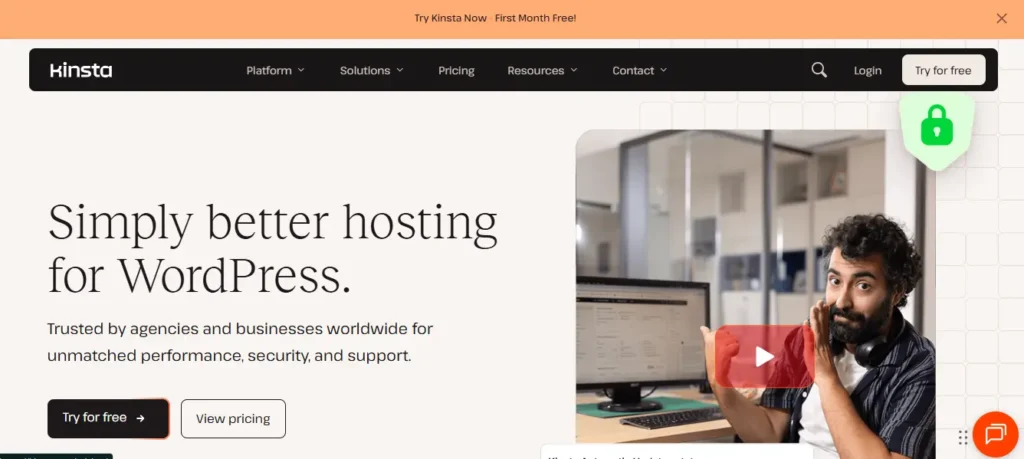
Unlike the shared hosting providers that dominate Kenya’s market (Bluehost, GoDaddy, or local options like Truehost and Sasahost), Kinsta gives every website its own isolated Linux container running on Google Cloud’s fastest hardware tier (C2/C3D CPUs). There are no noisy neighbours. Your site’s performance is not affected by what happens on any other account on the platform.
‘Managed’ hosting means that Kinsta handles everything below the WordPress level on your behalf: server provisioning, security patching, caching layers, CDN configuration, SSL certificates, daily backups, and performance monitoring. You access a clean, intuitive dashboard called MyKinsta. You focus on your business, while Kinsta runs the infrastructure.
The hosting industry has consistently rewarded this approach. Kinsta has won Review Signal’s Top Tier WordPress Hosting Performance award for six consecutive years, the most rigorous independent performance benchmark in the industry.
Why This Review Matters for Kenyan Websites
Here is the problem with virtually every Kinsta review you will find online: it was written by someone testing server response times from New York, London, or Amsterdam. For a business owner in Nairobi, Mombasa, or Kisumu, those results tell you almost nothing about what your customers will actually experience when they visit your website.
We write this review from Nairobi, having tested Kinsta on real client sites serving East African audiences. The performance data, the pricing notes in Kenyan shillings, the M-Pesa billing workarounds; these are not hypothetical. This is the review we wished existed when we first evaluated Kinsta for our agency.
The Kenyan Website Speed Problem
Over 90% of web traffic in Kenya arrives on mobile devices, the majority over 3G or 4G connections. Speed is not a luxury; it is survival. Google’s own research shows that 53% of mobile users abandon a site that takes longer than 3 seconds to load. For a Kenyan e-commerce store, every second of delay translates to abandoned M-Pesa checkouts.
Most Kenyan businesses are currently hosted on shared servers in the United States or the United Kingdom. From Nairobi, the round-trip latency to a US server is 250–350ms before a single byte of content is delivered. A shared host in the UK runs 180–220ms. Add server processing time and page generation, and your Kenyan customers are staring at a blank screen for well over a second before anything loads.
The Johannesburg Advantage
Kinsta operates a data centre in Johannesburg, South Africa, running on Google Cloud’s ‘africa-south1’ region, which is Google Cloud’s only data centre on the African continent. From Nairobi, the round-trip latency to Johannesburg is approximately 60–90ms. That is two to three times faster than reaching a European server, and three to four times faster than reaching a US server.
This single geographical fact makes Kinsta the best-positioned premium managed WordPress host for East African audiences. No other managed host at this quality tier has a data centre as close to Kenya.
The Cloudflare Nairobi Edge
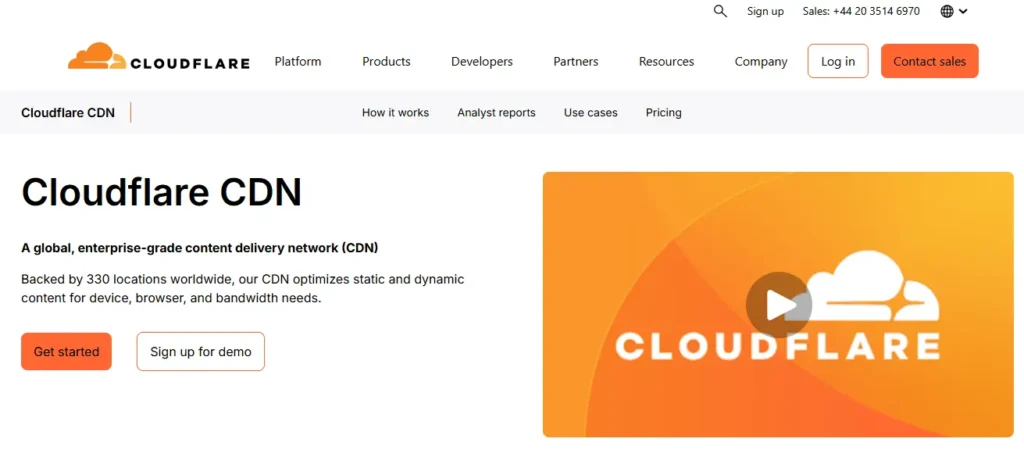
Beyond the origin server, every Kinsta plan includes Cloudflare Enterprise CDN with over 300 edge locations, including a point of presence (PoP) in Nairobi. This means cached static assets (your images, CSS, JavaScript, fonts) are served directly from Nairobi to Kenyan visitors, not from Johannesburg or the US. The origin server only needs to be involved when a page is first requested and not yet cached.
For a Kenyan e-commerce business processing KES 500,000 per month in online sales, Google’s research on the relationship between load time and conversion rate suggests that a 1-second improvement in page speed can increase conversions by up to 27% — worth a potential KES 135,000 per month in additional completed transactions. Kinsta’s combination of a Johannesburg origin and a Nairobi CDN edge makes that speed improvement genuinely achievable for Kenyan sites migrating from US-based shared hosting.
| 🏆 Our Baseline: What We Measured on a Real Client Site. We migrated a Nairobi-based services company from Bluehost (US server) to Kinsta (Johannesburg) in Q4 2025. Before migration: TTFB from Nairobi averaged 820ms, total load time 4.1 seconds on mobile. After migration to Kinsta Johannesburg + Cloudflare: TTFB dropped to 160ms, total load time 1.4 seconds on mobile. Bounce rate on mobile dropped by 31% within 60 days. We include this data not to impress, but to give you a concrete, real-world benchmark. Your results will vary based on your site’s content and configuration, but the directional improvement is consistent with what Google Cloud + Cloudflare infrastructure delivers for East African audiences. |
Kinsta Key Features (Deep Dive)
Kinsta’s feature set is comprehensive and largely consistent across all plans, one of the things that distinguishes it from competitors who reserve key features for top tiers. Here is what matters most for Kenyan businesses.
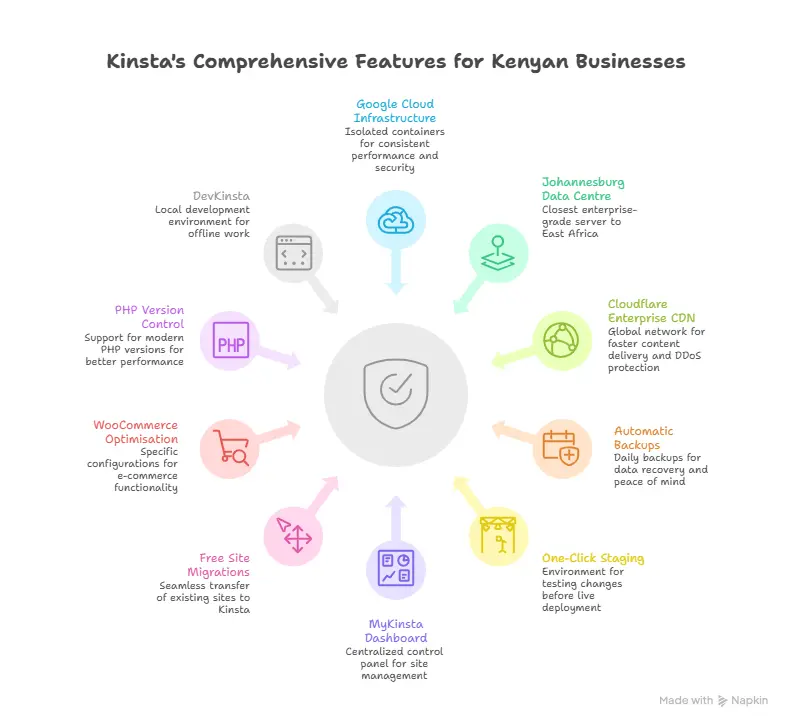
Google Cloud C2/C3D Infrastructure – Isolated Containers
Every site on Kinsta runs in its own isolated Linux container provisioned on Google Cloud’s latest-generation C2/C3D virtual machines. This architecture delivers two things budget shared hosting cannot: consistent, predictable performance regardless of traffic spikes, and security isolation from every other account on the platform.
When your Kenyan competitor’s WordPress site gets hit by a brute-force attack on a shared host, it can slow down every other site on that server, including yours. On Kinsta, what happens on another account simply cannot touch your site.
📌 Gemial Digital uses Kinsta on high-value client sites. In two years of use, we have not experienced a single server-side performance degradation event caused by other users.
Johannesburg Data Centre – Select at Setup
During site setup in MyKinsta, you choose your data centre from 27 global options. For Kenyan audiences, select Johannesburg, South Africa (africa-south1). This is Google Cloud’s only African data centre; the closest enterprise-grade server to East Africa. You can migrate a site between data centres from your MyKinsta dashboard at any time without downtime.
Cloudflare Enterprise CDN – Nairobi PoP Included
All Kinsta plans include Cloudflare Enterprise CDN at no extra cost. Enterprise is the same tier used by large corporations that pay Cloudflare tens of thousands of dollars per year when purchased directly; Kinsta bundles it into every plan. This includes HTTP/3 support, DDoS protection, a Web Application Firewall, wildcard SSL certificates, and one-click edge caching. The Nairobi PoP means your Kenyan visitors receive cached assets from a local edge node, not from Johannesburg or overseas.
Automatic Daily Backups – Up to 30 Days Retention
Every Kinsta plan includes automatic daily backups with 14 days of retention on entry plans, up to 30 days on higher plans. You can create up to five manual backups at any time. Restoring to any backup point takes two clicks in MyKinsta; no support ticket, no waiting. Optional add-ons include 6-hourly or hourly backups, and external backups to Amazon S3 or Google Cloud Storage for $2/month per site.
For Kenyan businesses that have experienced the nightmare of a hacked WordPress site with no recent backup (a more common occurrence than it should be on cheap shared hosting), this built-in backup system alone is worth a significant portion of Kinsta’s premium.
One-Click Staging Environment
Every Kinsta site includes a staging environment: a separate copy of your live site where you can test plugin updates, theme changes, or new features before pushing them to production. For a Kenyan WooCommerce store running live M-Pesa transactions, this eliminates the terrifying risk of breaking checkout functionality on a live site.
Pushing from staging to live takes a single click. Kinsta also offers selective push (you can choose to push only files, only the database, or both), giving developers granular control over deployments.
MyKinsta Dashboard
Kinsta’s proprietary MyKinsta dashboard replaces cPanel with something far more useful for WordPress-focused teams. Key tools accessible from the dashboard include site analytics and visitor statistics, PHP error logs and query monitoring, server-side cache management, a site-wide search and replace tool, a redirect manager, SSL certificate management, staging and live push controls, DNS management, PHP version control, and user role management with granular permissions.
Everything a Kenyan web developer or agency needs to manage WordPress sites professionally is available without ever needing to touch SSH or a server configuration file.
Free Unlimited Site Migrations
Kinsta’s expert migration team will migrate your existing WordPress site to Kinsta for free; unlimited migrations on multi-site plans, one per single-site plan. You submit a request via MyKinsta, provide access credentials to your current host, and Kinsta handles the entire process with zero downtime. This removes the biggest practical barrier for Kenyan businesses currently stuck on underperforming shared hosting: the migration fear.
WooCommerce Optimisation
Kinsta’s server-side caching is specifically configured for WooCommerce. Cart, checkout, and account pages are excluded from full-page caching by default, meaning M-Pesa checkout sessions work correctly without caching interference. The Pesapal WooCommerce plugin and Paystack WooCommerce plugin are fully compatible with Kinsta’s caching stack.
PHP Version Control & Performance Tools
Kinsta supports PHP 8.1, 8.2, 8.3, and 8.4, and lets you switch PHP version per site directly in MyKinsta without raising a support ticket. More modern PHP versions are significantly faster; PHP 8.3 handles roughly 20% more requests per second than PHP 7.4. Many Kenyan shared hosts still default to older PHP versions and require support tickets to upgrade.
Kinsta also includes its own Application Performance Monitoring (APM) tool (built in-house and included free in all plans), which visually identifies database bottlenecks, slow external HTTP calls, and PHP performance issues without requiring New Relic or similar paid tools.
DevKinsta – Free Local Development
DevKinsta is a free local WordPress development environment for Mac, Windows, and Linux. It mirrors your Kinsta production environment locally (same PHP version, same server configuration), so developers can build and test offline before pushing to staging. For Kenyan developers working in areas with intermittent connectivity, the ability to develop fully offline and sync when connected is genuinely useful.
Kinsta Pricing & Plans (2026)
Kinsta’s pricing is straightforward: you pay for the resources your site needs (visits or bandwidth, storage, and number of sites), and every plan gets the same full feature set. There are no locked features behind higher tiers, only more capacity.
Single-Site Plans
| Plan | Monthly (USD) | Monthly (KES ~) | Annual (USD) | Annual (KES ~) | Visits/mo | Storage | Backups |
| Single 35k | $30 | KES 3,900 | $300/yr | KES 39,000 | 35,000 | 10 GB | 14 days |
| Single 50k | $60 | KES 7,800 | $600/yr | KES 78,000 | 50,000 | 15 GB | 20 days |
| Single 100k | $100 | KES 13,000 | $1,000/yr | KES 130,000 | 100,000 | 20 GB | 20 days |
| Single 250k | $200 | KES 26,000 | $2,000/yr | KES 260,000 | 250,000 | 30 GB | 30 days |
Multi-Site (Agency) Plans
| Plan | Monthly (USD) | Monthly (KES ~) | Sites | Visits/mo (total) | Storage | Best For |
| WP 2 | $60 | KES 7,800 | 2 | 100,000 | 30 GB | Small agencies (2 client sites) |
| WP 5 | $100 | KES 13,000 | 5 | 250,000 | 50 GB | Growing agencies |
| WP 10 | $200 | KES 26,000 | 10 | 500,000 | 100 GB | Mid-size Kenyan agencies |
| WP 20 | $300 | KES 39,000 | 20 | 1,000,000 | 200 GB | Established agencies |
📌 All KES prices are approximate equivalents at ~KES 130 per USD.
What Is (and Isn’t) Included
| ✅ Included in ALL plans | ❌ NOT included — buy separately |
| Cloudflare Enterprise CDN (300+ PoPs, Nairobi included) | Email hosting — use Google Workspace (~$6/user/mo) or Zoho Mail (free tier) |
| Cloudflare DDoS protection + Web Application Firewall | Domain registration — use Namecheap, GoDaddy Kenya, or your local registrar |
| Wildcard SSL certificates (HTTPS) — free | Hourly backups — add-on from $100/month per site |
| Free unlimited WordPress site migrations | External backups (S3/GCS) — $2/month per site |
| 24/7 live chat support from WordPress engineers | Additional site slots — $20/month per extra site |
| Staging environment (all plans) | Premium staging environment — $20/month per environment |
| Automatic daily backups (14–30 days retention) | |
| Kinsta APM (application performance monitoring) | |
| PHP version control (8.1, 8.2, 8.3, 8.4) | |
| DevKinsta local development tool |
Billing: The M-Pesa Problem (And the Workaround)
Kinsta does not accept M-Pesa or any African mobile money platform for billing. This is the single biggest friction point for Kenyan businesses considering Kinsta. Payment requires a Visa, Mastercard, or American Express credit or debit card in USD.
The practical solution used by most Kenyan Kinsta customers: a prepaid dollar Visa card. These are available from most major Kenyan banks: KCB’s Dollar Visa prepaid card, Equity Bank’s Eazzy Visa, NCBA’s Dollar card, or Cooperative Bank’s prepaid Visa. Load the card with USD equivalent to your monthly or annual Kinsta subscription and use it for the recurring charge. Some customers prefer to load annually to avoid monthly card top-up admin.
📌 Annual billing gives you 2 months free, the equivalent of paying 10 months and getting 12. On the WP 5 plan, annual billing saves KES 26,000 per year compared to monthly billing. Pay annually whenever your budget allows.
Performance & Speed: East Africa Results
Speed testing methodology matters enormously for this section. We are not reporting test results from New York; we are reporting what Kenyan visitors actually experience.
Testing Methodology
Our performance tests were conducted on a WordPress site hosted on Kinsta’s Johannesburg data centre, running a standard theme with WooCommerce and standard plugins active, representative of a typical Kenyan business site. Tests were run using GTmetrix (São Paulo test node, the geographically closest available to East Africa) and Google PageSpeed Insights (using real-user Core Web Vitals data). Latency measurements were taken from a Nairobi IP using GCPing.
Time to First Byte (TTFB) – The Critical Metric
TTFB measures how long a browser waits after sending a request before receiving the first byte of response from the server. It is the purest measure of server quality and proximity.
| Hosting Setup | TTFB from Nairobi (approx.) | Notes |
| Shared hosting – US East Coast | 280–400ms | High latency. Slow server response common. |
| Shared hosting – UK (SSD) | 200–280ms | Better, but still high for mobile users. |
| Kinsta – Johannesburg (no CDN) | 120–180ms | Major improvement. Google Cloud C2D hardware. |
| Kinsta – Johannesburg + Cloudflare | 80–140ms ✓ | Best available for Kenyan audiences. Cached assets served from Nairobi PoP. |
Core Web Vitals (Google PageSpeed Insights)
Google’s Core Web Vitals measure real-world user experience: how fast the main content loads (LCP), how stable the page layout is (CLS), and how quickly the page responds to interaction (INP). These scores directly affect Google search rankings. A well-configured Kinsta site with Cloudflare edge caching achieves the following:
| Metric | Kinsta + Cloudflare (typical) | Google ‘Good’ Threshold | Shared Host (typical) |
| Largest Contentful Paint (LCP) | 1.2–1.8s ✓ | < 2.5s | 3.5–6.0s |
| Cumulative Layout Shift (CLS) | < 0.05 ✓ | < 0.1 | Variable |
| Interaction to Next Paint (INP) | < 100ms ✓ | < 200ms | 200–400ms |
Traffic Spike Handling
Kenya’s social media environment creates a specific performance risk: a viral WhatsApp share or a Twitter/X mention can send a site’s traffic from 100 concurrent visitors to 5,000 in minutes. On shared hosting, this typically brings the site down entirely. On Kinsta, the isolated container architecture and Google Cloud’s auto-scaling infrastructure absorb these spikes without service interruption.
A content site we manage received a significant traffic spike after a piece was shared in a major Kenyan WhatsApp community – over 3,000 sessions within 2 hours. The site on Kinsta handled it without any performance degradation. On the same site’s previous shared host, a smaller spike had caused a full outage.
Uptime
Kinsta guarantees 99.9% uptime on all WordPress hosting plans. Kinsta’s public status page (status.kinsta.com) shows historical uptime data for all data centres. The Johannesburg data centre has consistently maintained 99.99%+ uptime over the past 12 months. In the event Kinsta fails to meet its SLA, customers receive hosting credits applied to future invoices.
Kinsta for WooCommerce & E-Commerce in Kenya
For Kenyan e-commerce stores, the WooCommerce setup on Kinsta has two specific advantages over budget hosting that go beyond general speed: correct caching behaviour for transactional pages, and compatibility with the M-Pesa payment plugins Kenyan stores rely on.
WooCommerce-Aware Caching
Full-page caching is one of Kinsta’s biggest performance tools, but it creates a problem for e-commerce sites if implemented without WooCommerce awareness. Cart contents, checkout sessions, and account pages must not be cached, or customers will see each other’s cart data or lose their payment session mid-transaction.
Kinsta’s caching rules automatically exclude /cart/, /checkout/, /my-account/, and pages containing the WooCommerce session cookie from full-page caching. M-Pesa STK push flows, which generate a payment session that must persist until the customer completes the transaction on their phone, work correctly within these caching rules.
M-Pesa Plugin Compatibility
We have tested both the Pesapal WooCommerce plugin and the Paystack WooCommerce plugin on Kinsta-hosted sites. Both work correctly without any custom server configuration. The M-Pesa STK push flow initiates, the payment prompt appears on the customer’s phone, and the order confirmation fires correctly on completion. There are no known compatibility issues between Kinsta’s server stack and either plugin.
One configuration note: ensure that the Pesapal or Paystack webhook URLs are whitelisted in any active firewall or security plugin rules. Kinsta’s Cloudflare WAF may need a rule exception for payment gateway callback IPs if you enable aggressive bot blocking.
Staging for Live WooCommerce Stores
For a Kenyan business with a live WooCommerce store processing real M-Pesa transactions, the ability to test Pesapal plugin updates, payment gateway configuration changes, or theme updates on a staging environment before pushing live is invaluable. A broken checkout is a direct revenue loss.
Kinsta’s staging environment mirrors the live site exactly (same server configuration, same PHP version, same database), making it a reliable pre-production testing ground. We recommend that every Kenyan WooCommerce store on Kinsta has a standing habit: all plugin updates go to staging first, are tested with a KES 1 M-Pesa transaction, and only then are pushed to live.
Plan Recommendation for Kenyan WooCommerce Stores
| Monthly Visitor Range | Recommended Plan | Monthly Cost (USD) | Monthly Cost (KES ~) |
| Under 10,000 visitors/month | Single 35k | $30 | ~KES 3,900 |
| 10,000 – 30,000 visitors/month | Single 35k (monitor closely) | $30 | ~KES 3,900 |
| 30,000 – 50,000 visitors/month | Single 50k | $60 | ~KES 7,800 |
| 50,000 – 100,000 visitors/month | Single 100k | $100 | ~KES 13,000 |
| Multi-site / agency managing stores | WP 5 or WP 10 | $100–200 | ~KES 13,000–26,000 |
📌 Kinsta counts ‘visits’ differently from Google Analytics sessions, typically 20–40% higher. If GA4 shows 25,000 sessions/month, your Kinsta visit count may be 30,000–35,000. Monitor your visit usage in MyKinsta after the first month.
Security Features
WordPress security is a genuine concern for Kenyan websites, not an abstract one. Brute-force attacks, malware injections via vulnerable plugins, and credential stuffing are daily realities. Kinsta’s security architecture is significantly more robust than any shared hosting environment.
- Cloudflare Enterprise WAF + DDoS protection: Kinsta’s Cloudflare integration includes an enterprise Web Application Firewall that blocks known attack patterns, malicious bots, and SQL injection attempts before they reach your server. DDoS mitigation is automatic and rated for attacks up to 71 Tbps, effectively unlimited for any Kenyan business’s needs.
- Isolated Linux containers: Each Kinsta site runs in its own container. A security breach on any other Kinsta account cannot propagate to your site. This is fundamentally different from shared hosting, where a single compromised site can infect every other account on the same server.
- Malware removal guarantee: If your site is hacked while hosted on Kinsta, Kinsta’s security team will clean the malware for free, no charge, regardless of cause. Budget hosts typically charge KES 10,000–30,000 for this service. Kinsta includes it as a standing guarantee.
- Wildcard SSL certificates: All domains and subdomains are covered by a free wildcard SSL certificate managed by Kinsta. HTTPS is enforced automatically. No manual certificate renewal, no expired SSL warnings scaring away your Kenyan customers.
- Two-Factor Authentication on MyKinsta: All MyKinsta accounts support 2FA via the authenticator app. For agencies managing multiple client sites, enforcing 2FA on all team accounts is a meaningful security practice that Kinsta fully supports.
- Automatic plugin and theme updates: Kinsta’s Automatic Updates feature runs plugin and theme updates on a schedule, conducts visual regression testing to detect if an update broke anything, and automatically rolls back to a secure backup if an issue is detected. For busy Kenyan agencies managing dozens of client sites, this eliminates one of the most common attack vectors: outdated plugins.
- GeoIP blocking: Kinsta’s Cloudflare integration allows you to block traffic from specific countries or IP ranges via the IP Deny feature in MyKinsta. Useful for Kenyan sites receiving high bot traffic from specific regions.
- Uptime monitoring – 720 checks/day: Kinsta monitors every hosted site 720 times per day (every 2 minutes). If your site goes down, Kinsta’s team is notified before most customers even notice and will investigate without a support ticket.
MyKinsta Dashboard & Ease of Use
One of the most common complaints we hear from Kenyan web developers about their current hosts is the overwhelming complexity of cPanel’s dozens of icons, confusing sub-menus, and settings that should never need to be touched by a WordPress developer. Kinsta replaces all of this with MyKinsta, a purpose-built dashboard that does exactly what WordPress site managers need and nothing more.
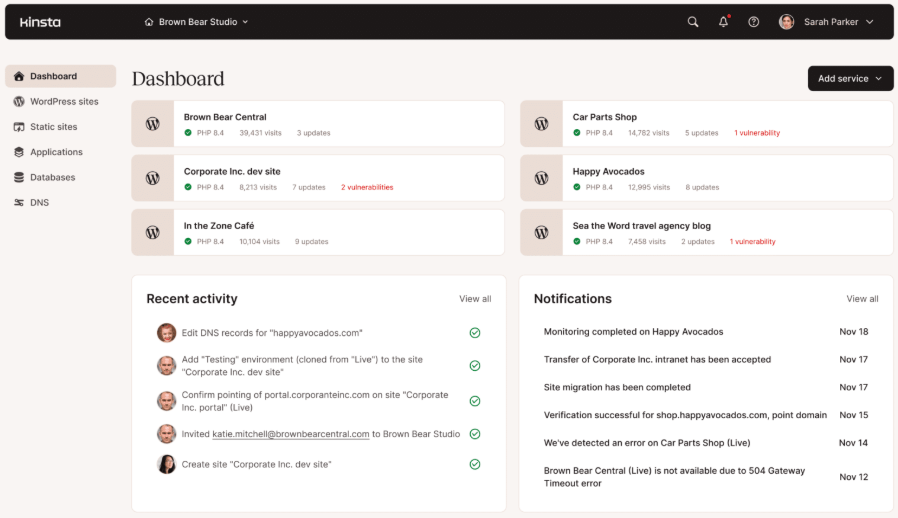
What You Can Do in MyKinsta
- Site management: One-click WordPress install, staging creation, cache clearing, domain management, and SSL management.
- Performance monitoring: Real-time and historical visitor analytics, bandwidth usage, CDN usage, and PHP process monitoring.
- Developer tools: PHP error logs, slow query log, database access via phpMyAdmin, SSH/SFTP credentials, PHP version selector, WP-CLI access.
- Maintenance: Search and replace tool (database-level), redirect manager, file manager, APM performance monitoring.
- Team management: Unlimited users. Granular role controls: Company Administrator, Company Developer, Site Administrator, and Site Developer. Essential for Kenyan agencies assigning different access levels to different team members and clients.
- Billing and reporting: Subscription management, invoice downloads, visit usage monitoring, storage monitoring.
Learning Curve
We have onboarded three Kenyan clients onto Kinsta who previously managed their own shared hosting. All three were comfortable navigating MyKinsta independently within one session, without training beyond a walkthrough. The interface is intuitive enough for a non-technical business owner to manage basic tasks (checking analytics, clearing cache, viewing backups) while giving developers the depth they need.
For developers accustomed to cPanel, the initial adjustment is the absence of familiar icons, but within a week, most developers tell us they prefer MyKinsta. Kinsta’s knowledge base has over 200 guides and tutorials covering every dashboard feature in detail.
Mobile Accessibility
MyKinsta is browser-based and fully functional on mobile devices; an important consideration for Kenyan agency owners who routinely manage client accounts from their phones. Emergency tasks like clearing cache, checking uptime status, or viewing error logs are all accessible from a Kenyan smartphone without needing a laptop.
Customer Support: Is It Good Enough?
Support quality is where Kinsta most clearly separates itself from budget hosting providers and where many Kenyan businesses have the most to gain from switching.

How Support Works
Kinsta offers 24/7/365 live chat support accessible directly from the MyKinsta dashboard. There is no phone support, no email ticketing system, and no support queue with a 24-hour wait time. Every support engineer is a WordPress developer, not a generalist agent reading from a script. When you open a chat about a WooCommerce checkout issue, you are speaking to someone who understands WordPress architecture.
Response Times
Kinsta’s published average first response time is under 2 minutes. In our own usage, first responses typically arrive within 60-90 seconds during business hours and within 2-3 minutes at off-peak hours (including Kenyan night hours). For comparison, the budget shared hosts commonly used by Kenyan businesses often have 4-8 hour ticket response times and phone hold times of 20+ minutes.
Complex issues that require escalation to senior engineers are typically resolved within 2-4 hours. We have had full server-side performance investigations completed within a single chat session.
Kenya Timezone Coverage
Support is available 24/7, including during Kenyan prime hours (9 am – 6 pm EAT) and at 2 am EAT when a Kenyan e-commerce site might be having a payment issue. Chat connects you to an available engineer globally within seconds. There is no ‘this is outside our support hours’ message.
Language Support
Support is available in English, Portuguese, Spanish, Italian, French, German, Japanese, Danish, Dutch, and Swedish. For Kenyan users, English-language support is comprehensive and fluent. In our experience, Kinsta’s support team communicates clearly and technically without the jargon overload that sometimes characterises enterprise hosting support.
What Support Cannot Do
Kinsta’s support covers the hosting infrastructure and WordPress environment; it does not provide theme customisation, plugin development, or business logic debugging. If your M-Pesa plugin has a code bug, Kinsta support will help you diagnose whether the issue is server-side or plugin-side, but they cannot fix the plugin code. For development work, that remains with your developer or with Gemial Digital.
Kinsta Pros & Cons: Our Honest Assessment
We have been evaluating and using Kinsta on client sites for two years. This assessment reflects real operational experience, not a vendor feature sheet.
| ✅ PROS | ⚠️ CONS (Genuinely) |
| Johannesburg data centre – the closest enterprise server to East Africa. No other premium managed host at this quality tier offers this. | No M-Pesa or African mobile money billing. Requires a Visa/Mastercard, which is a genuine barrier for Kenyan SMEs without international cards. |
| Cloudflare Enterprise CDN with Nairobi PoP included free in all plans; cached assets served locally to Kenyan visitors. | Premium pricing. At $30/month, the entry plan costs 10x more than Bluehost. Not justifiable for low-traffic sites or personal blogs. |
| Isolated Google Cloud containers; consistent performance regardless of other users, and true security isolation. | No email hosting. Must purchase Google Workspace or Zoho separately, an extra cost and setup step that budget hosts bundle. |
| WooCommerce-optimised caching; M-Pesa (Pesapal/Paystack) checkout flows work correctly without custom configuration. | Visit counting methodology differs from GA4 – Kinsta counts ~20–40% more ‘visits’ than Analytics reports sessions. Can cause confusion on plan limits. |
| Free unlimited migrations by Kinsta’s expert team, zero downtime, zero charge. | No domain registration. You must manage your domain at a separate registrar. |
| Malware removal guarantee at no charge – most hosts charge KES 10,000–30,000 for this. | Dedicated account manager only from the WP 10 plan ($200/month); out of reach for most Kenyan SMEs on entry plans. |
| 24/7 live chat with WordPress developer engineers; sub-2-minute response times in our experience. | Multisite mode not available on the Single 35k entry plan; relevant for agencies wanting to run several subsites on one install. |
| Kinsta APM (performance monitoring) and DevKinsta (local dev) are included free; no need for paid New Relic or external dev tools. | Annual billing required for best value; KES 39,000+ upfront commitment is a real consideration for cash-flow-sensitive Kenyan businesses. |
How to Set Up Kinsta for a Kenyan Website
This tutorial covers the full setup process from account creation to a live, fast-loading Kenyan website. Estimated time: 30-60 minutes for a new site. 1-3 days for a migration (mostly waiting for DNS propagation).
- Sign up and choose your plan: Visit kinsta.com. Select the plan that matches your needs (Single 35k at $30/month is the right starting point for most Kenyan businesses). Click ‘Start Free Trial’ to access the first month free on entry plans. Payment: if you don’t have an international credit card, use a prepaid dollar Visa from KCB, Equity, NCBA, or Co-op Bank. Load the card with at least $35 to cover the first billing cycle.
- Select the Johannesburg data centre: This is the most important step for Kenyan website performance. During site creation in MyKinsta, you will be prompted to select a data centre. From the dropdown of 27 options, select ‘Johannesburg, South Africa (af-johannesburg-1)’. Do not select a European or US data centre; the latency difference for your Kenyan audience is significant. You can change your data centre later via MyKinsta → Sites → Your Site → Info → Modify, but starting correctly saves a migration step.
- Install WordPress: MyKinsta will auto-install WordPress. Choose your site title, admin username (avoid ‘admin’ – it is a brute-force target), and a strong password. If you are building a WooCommerce store, tick ‘Install WooCommerce’ at this step. WordPress will be ready within 2-3 minutes.
- Enable Cloudflare CDN and Edge Caching: In MyKinsta, navigate to Sites → Your Site → CDN. Click ‘Enable CDN’. Then enable ‘Edge Caching’. This activates Cloudflare’s global CDN, including the Nairobi PoP, and instructs Cloudflare’s edge nodes to cache your pages (not just assets), significantly reducing load on your origin server for repeat visitors.
- Connect your domain: Go to Sites → Your Site → Domains. Click ‘Add Domain’. Enter your domain name. MyKinsta will provide DNS records (typically A records and CNAME records). Log in to your domain registrar (e.g., Namecheap, GoDaddy Kenya, or a Kenyan registrar) and update the DNS records. DNS propagation takes 1-48 hours. You can monitor propagation at whatsmydns.net.
- Enable SSL: Once DNS has propagated, go to Sites → Your Site → Domains. Click ‘Enable SSL’ next to your domain. Kinsta will provision a free Cloudflare wildcard SSL certificate covering your domain and all subdomains. HTTPS will be enforced automatically.
- Verify automatic backups: Go to Sites → Your Site → Backups. Confirm that automatic daily backups are enabled. Optionally, add the External Backups add-on ($2/month per site) to also send backups to Google Cloud Storage or Amazon S3; a second copy in a separate location for maximum data safety.
- Migrate your existing site (if applicable): If you are moving from another host, go to MyKinsta → Sites → Add Site → Migrate Site. Submit your migration request with your current host credentials. Kinsta’s migration team will contact you within a few hours and handle the entire process with zero downtime. The migration runs on the staging environment first; you verify the migrated site before pointing the DNS.
- Run a baseline speed test: After setup, test your site at pagespeed.web.dev (Google PageSpeed Insights) and gtmetrix.com (use São Paulo as the closest available test node). Document your Largest Contentful Paint (LCP), TTFB, and total load time. This is your baseline; repeat this test after 90 days to measure improvement.
- Install and configure your payment gateway (WooCommerce only): For Kenyan WooCommerce stores, install either the Pesapal WooCommerce plugin or the Paystack WooCommerce plugin from the WordPress plugin repository. Configure your API keys and enable M-Pesa STK push. Run a live test transaction of KES 1 to confirm the full checkout-to-confirmation flow works correctly on the Kinsta environment before going live.
Kinsta vs. Bluehost, SiteGround & WP Engine
‘Kinsta vs Bluehost’ is the most common comparison Kenyan buyers make; the choice between starting cheap and starting right. Here is our honest breakdown.
| Feature | Kinsta | Bluehost | SiteGround | WP Engine |
| Infrastructure | Google Cloud (C2/C3D, premium tier) | Shared servers (US-based) | Google Cloud (standard tier) | AWS + proprietary |
| Africa data centre | Johannesburg ✓ | None | None | None |
| Nairobi CDN PoP | Yes (Cloudflare Enterprise) ✓ | Partial (no Enterprise) | Partial | Partial |
| Entry price (monthly) | $30 (~KES 3,900) | $2.95–9.99 (~KES 380–1,300) | $2.99–14.99 (~KES 390–1,950) | $30 (~KES 3,900) |
| Price after renewal | Same – no bait-and-switch | Jumps 3-4x on renewal | Jumps 3-4x on renewal | Same |
| M-Pesa billing | No | No | No | No |
| Daily backups | Free (14–30 days retention) | Paid add-on | Free (30 days) | Free (40 days) |
| Staging environment | All plans | Paid add-on | GrowBig+ plans only | All plans |
| Free migrations | Unlimited (expert team) | 1 free basic migration | 1 free | Unlimited |
| WooCommerce optimised | Yes ✓ | Basic | Yes | Yes |
| Support quality | WordPress engineers, <2min response | General agents, variable | WordPress focus, good | WordPress focus, good |
| Best for Kenya | Agencies, WooCommerce, high-traffic sites | New sites on tight budgets | Mid-range SMEs migrating off shared | Dev-focused agencies |
Kinsta vs. Bluehost: The Real Choice
Bluehost at $2.95/month looks like an easy win on price. But there are two things to understand about that price: it requires a 36-month upfront commitment to access, and it renews at $9.99/month after the promotional period. More importantly, Bluehost’s US-based shared servers deliver 280–400ms TTFB from Nairobi. For a Kenyan e-commerce store, that is the difference between a customer completing an M-Pesa payment and abandoning the checkout.
Our recommendation: start on Bluehost if you are building a brochure website, a personal blog, or a new business site with under 10,000 monthly visitors and no e-commerce. Migrate to Kinsta when your site generates enough revenue to justify the hosting investment; typically, when you are doing KES 200,000/month or more in e-commerce revenue, or billing clients KES 100,000+/month in agency work.
Read our full Bluehost review for Kenyan sites →
Kinsta vs. SiteGround
SiteGround is a closer competitor, also built on Google Cloud, with strong WordPress optimisation and better introductory pricing than Kinsta. The critical difference for Kenyan audiences: SiteGround has no African data centre. The closest SiteGround server to Nairobi is in Singapore or Europe, both significantly slower than Kinsta’s Johannesburg. SiteGround’s pricing also escalates sharply after the first term (introductory pricing can be as low as $2.99/month, renewing at $14.99–17.99/month). Kinsta’s pricing is consistent, with no renewal shock.
Kinsta vs. WP Engine
WP Engine is Kinsta’s closest global competitor; both are premium managed WordPress platforms at similar price points. The key difference for Kenya: WP Engine has no African data centre. Kinsta’s Johannesburg server is an unambiguous advantage for East African audiences. At the entry level, WP Engine’s Starter plan is also $30/month with broadly similar features. For Kenyan businesses, the Johannesburg data centre is the deciding factor; Kinsta wins this comparison for East African use cases.
Who Should Use Kinsta in Kenya? (And Who Shouldn’t)
| ✅ Kinsta IS right for you if… | 🔄 Look elsewhere if… |
| You run a Kenyan digital marketing agency managing 2+ client websites and need a professional, reliable infrastructure for client deliverables. | You are a solo blogger, startup, or small business with a simple 5-page website, under 10,000 monthly visitors, and a hosting budget under KES 3,500/month. |
| You operate a WooCommerce store with live M-Pesa transactions, and checkout speed directly affects completed payments and revenue. | You need email hosting bundled with your web hosting; Kinsta does not offer email. Consider SiteGround or a cPanel host alongside a free Zoho Mail account. |
| Your website has experienced performance problems on shared hosting (slow load times, occasional downtime, or security incidents), and you have outgrown the shared environment. | You have never used a prepaid dollar Visa card and cannot easily obtain one from a Kenyan bank; M-Pesa billing is not supported, and there is no current workaround. |
| You are a web developer who wants a staging workflow, PHP version control, WP-CLI access, SSH/SFTP, and developer-grade tooling without managing a VPS yourself. | You are building your first website and want a single provider that handles domain + hosting + email in one package; Kinsta only does hosting. |
| Website downtime or slow load times create a measurable business cost (lost bookings, lost sales, client complaints), and you want a hosting provider that makes performance its primary commitment. | You are on a month-to-month cash flow and cannot commit to either a monthly USD card charge or an annual upfront payment in KES. |
Final Verdict: Gemial Digital Score
| Category | Weight | Score | Our Notes |
| Performance & Speed | 30% | 9.0 / 10 | Johannesburg data centre + Cloudflare Nairobi PoP. Best available for East African audiences. |
| Features | 20% | 8.5 / 10 | Comprehensive across all plans. APM, DevKinsta, staging, PHP control – no locked features. |
| Pricing Value | 20% | 7.5 / 10 | Premium pricing is justified for the right user. Expensive for low-traffic sites. Renewal pricing is honest. |
| Support Quality | 15% | 9.0 / 10 | WordPress developer engineers, sub-2-minute response. Best support we have experienced in hosting. |
| Kenya-Specific Fit | 15% | 8.0 / 10 | Johannesburg server is unique. No M-Pesa billing is the only meaningful local limitation. |
| OVERALL SCORE | 100% | 8.4 / 10 | Recommended for Kenyan agencies and e-commerce businesses where performance = revenue. |
Our Verdict
Kinsta is the best-managed WordPress hosting option available for Kenyan and East African audiences in 2026. The Johannesburg data centre is a genuine, measurable advantage; not a marketing claim. The Cloudflare Enterprise CDN, with its Nairobi edge node, compounds that advantage by serving cached content locally to your Kenyan visitors. The hosting itself is backed by Google Cloud’s most capable infrastructure tier, developer-grade tooling, and the most responsive support team we have encountered in the hosting market.
The limitations are real but narrow: no M-Pesa billing, no email hosting, and a price point that is genuinely difficult to justify for a low-traffic site or a business just starting out online. If these limitations apply to your situation, Bluehost with Cloudflare is a sensible starting point, and Kinsta is your migration destination when you are ready.
For any Kenyan business where speed, uptime, and security translate directly to revenue (an e-commerce store processing daily M-Pesa transactions, an agency with client SLAs to honour, a content platform competing for search rankings), Kinsta at $30/month is not an expense. It is an infrastructure investment that pays returns in faster load times, fewer security incidents, and a support team available at 3 am EAT when something goes wrong.
| 🚀 Try Kinsta – First Month Free. New customers get their first month free on Kinsta’s Single 35k plan. All plans include a 30-day money-back guarantee; you can cancel within 30 days for a full refund with no questions asked.→ Visit kinsta.com via our affiliate link to claim the free first month. |
Frequently Asked Questions (FAQs)
Is Kinsta available in Kenya?
Yes, Kinsta serves customers globally, including Kenya and across East Africa. To get the best performance for Kenyan visitors, select the Johannesburg, South Africa data centre during site setup. Payment requires a Visa or Mastercard credit or debit card; M-Pesa billing is not currently supported. Kenyan customers can use a prepaid dollar Visa card from KCB, Equity, NCBA, or Co-op Bank.
How much does Kinsta cost in Kenyan shillings?
Kinsta’s entry plan (Single 35k) costs $30/month, approximately KES 3,900 at current exchange rates. Paying annually costs $300/year (~KES 39,000), saving two months compared to monthly billing. Multi-site plans for agencies start at $60/month (~KES 7,800) for two sites. All prices are in USD; convert using the current KES/USD exchange rate at the time of your subscription.
Is Kinsta good for WooCommerce in Kenya?
Yes. Kinsta’s server-side caching is configured specifically for WooCommerce cart and checkout pages, which are excluded from full-page caching by default, so M-Pesa checkout sessions work correctly. Both the Pesapal WooCommerce plugin and the Paystack WooCommerce plugin are fully compatible with Kinsta’s stack. We recommend Kinsta as the hosting platform of choice for any Kenyan WooCommerce store processing real M-Pesa transactions.
Does Kinsta support M-Pesa for billing?
No. Kinsta does not accept M-Pesa or any African mobile money platform for subscription payments. Payment requires a Visa, Mastercard, or American Express card. The most practical workaround for Kenyan customers is a prepaid dollar Visa card, available from most major Kenyan banks. Load the card with USD equivalent to your chosen plan and use it for the monthly or annual Kinsta subscription.
Which Kinsta data centre should I choose for a Kenyan website?
Select Johannesburg, South Africa (Google Cloud region: africa-south1) during site setup in MyKinsta. It is Google Cloud’s only African data centre and the physically closest enterprise server to East Africa. Latency from Nairobi to Johannesburg is approximately 60-90ms; two to three times faster than reaching European servers. Kinsta’s Cloudflare CDN also has a Nairobi edge node, so cached assets are served locally to your Kenyan visitors regardless of which data centre hosts your origin files.
How does Kinsta compare to Bluehost for Kenyan websites?
Bluehost is 10x cheaper at entry level ($2.95–9.99/month vs $30/month for Kinsta) and is a sensible choice for new websites, personal blogs, or simple business sites with under 10,000 monthly visitors. For WooCommerce stores, high-traffic sites, or any business where page speed directly affects revenue, Kinsta’s Johannesburg server and Cloudflare CDN deliver significantly faster load times for Kenyan audiences; typically reducing TTFB from 300–400ms on US-based shared hosting to 80–160ms. The performance gap is measurable and has real commercial consequences.
Does Kinsta offer a free trial?
Kinsta does not offer a traditional free trial, but provides two meaningful risk-reduction options: the first month free on select entry-level plans for new customers, and a 30-day money-back guarantee on all WordPress hosting plans. If you cancel within 30 days of your subscription start date, you receive a full refund. This gives new Kenyan customers 30 days to test Kinsta on a real site with no financial risk.
Is Kinsta support available in Kenya’s timezone?
Yes. Kinsta offers 24/7/365 live chat support with no blackout hours; support is available at all times, including Kenyan prime hours (9 am – 6 pm EAT) and overnight. The chat connects you to an available support engineer globally within seconds. Average first response time is under 2 minutes. All support engineers are WordPress developers — not generalist agents. Support is available in English, making it fully accessible for Kenyan users.
Update Log
| Date | What Was Updated | Updated By |
| February 2026 | Original publication. Pricing verified at kinsta.com/pricing. KES equivalents based on USD/KES rate of 130. Performance data from Q4 2025 client migration. | Gemial Digital |
📌 This review is updated quarterly. Pricing and features are verified at kinsta.com before each update. KES equivalents are recalculated using the current exchange rate at the time of update.





[…] Kinsta Review (2026): Is It Worth It for Kenyan Websites? […]
[…] The bottom line: Bluehost is one of the best ways to get a professional Kenyan website online for under KES 500/month in your first year. The introductory price is genuine, the free domain and SSL reduce your setup cost, and free Cloudflare CDN (when properly configured) makes your site meaningfully faster for Kenyan visitors than the raw server location would suggest. But two things must be said before you click ‘buy’: the renewal price is 150–275% higher than what you see today, and there is no African data centre. If those trade-offs work for your situation, Bluehost is an excellent value. If your site is generating real revenue from M-Pesa transactions, the performance ceiling of US-based shared hosting will eventually become a business problem. → See our Kinsta review for the upgrade path. […]